17
First Steps
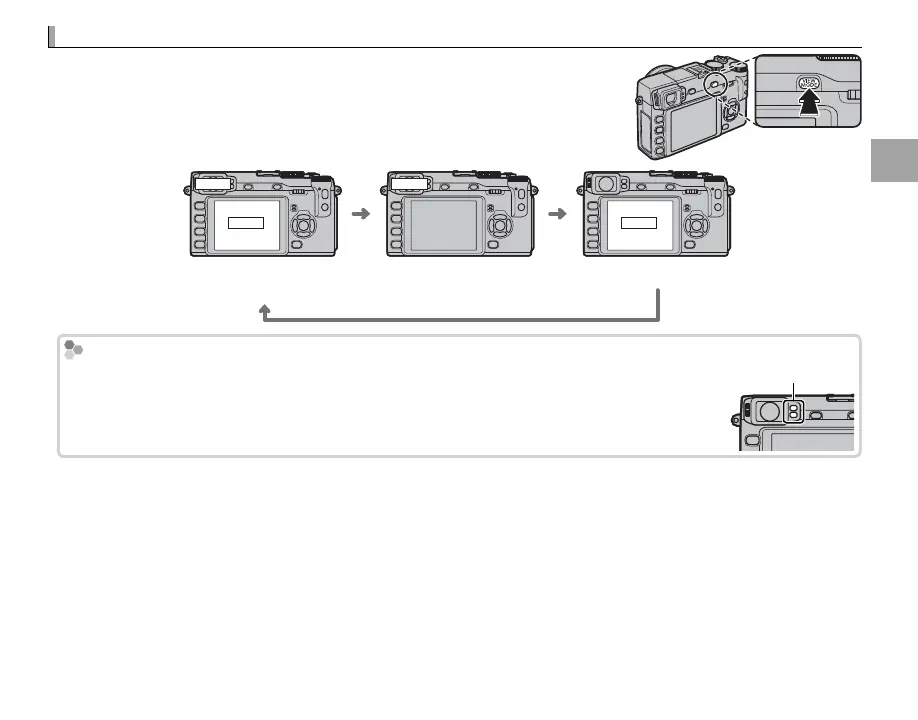
Choosing a Display
The camera is equipped with an electronic view nder (EVF) and an LCD
monitor (LCD). Press VIEW MODE to choose a display.
LCD
EVF EVF
LCD
Automatic display selection
using eye sensor
View nder only LCD monitor only
Automatic Display Selection
Automatic Display Selection
The view nder turns on automatically when you put your eye to the view nder, and the
LCD monitor turns on when you take your eye away (note that the eye sensor may respond
to objects other than your eye or to light shining directly on the sensor).
Eye sensor



 To Next Page