37
More on Photography and Playback
Long Time-Exposures (T/B)
Long Time-Exposures (T/B)
Select a shutter speed of T (time) or B (bulb) for long time-exposures.
R Use of a tripod is recommended to prevent the camera from moving during the exposure.
R To reduce “noise” (mottling) in long time-exposures, select ON for K LONG EXPOSURE NR in the shooting
menu (P 71). Note that this may increase the time needed to record images after shooting.
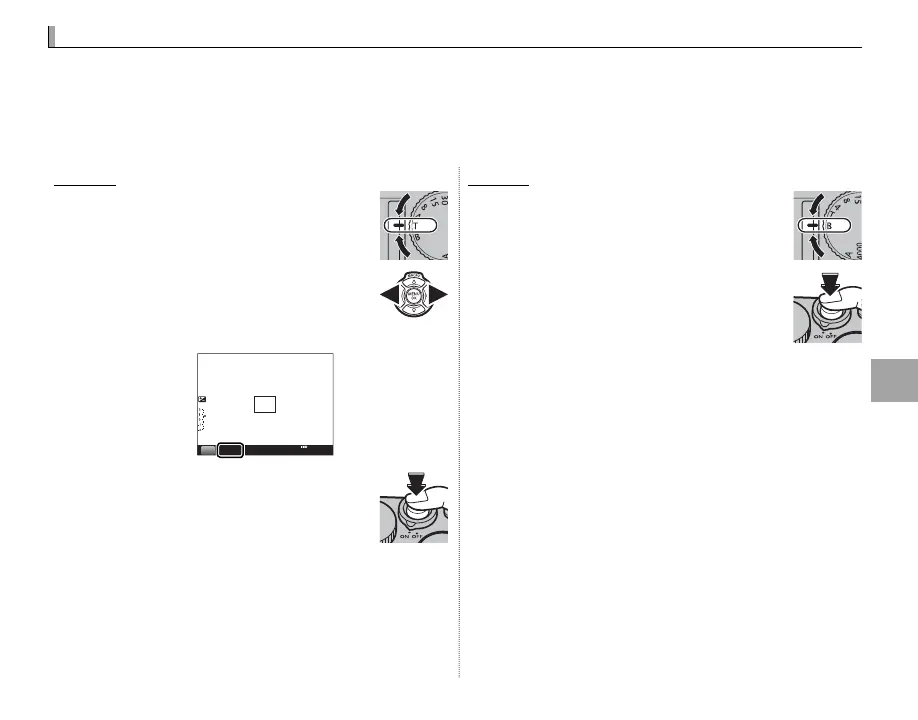
Time (T)
1
Rotate the shutter speed dial to T.
2
Press the selector left or right to
choose a shutter speed between
30 s and
/
s in steps of
/
EV.
2”
F5.6
S
200
3
Press the shutter button all the way
down to take a picture at the select-
ed shutter speed. A count-down
timer will be displayed while the ex-
posure is in progress.
Bulb (B)
1
Rotate the shutter speed dial to B.
2
Press the shutter button all the way
down. The shutter will remain open
for up to 60 minutes while the shut-
ter button is pressed; the display
shows the time elapsed since the
exposure started.
R Selecting an aperture of A xes shutter speed at 30 s.



 To Next Page