19
First Steps
The
DISP/BACK
Button
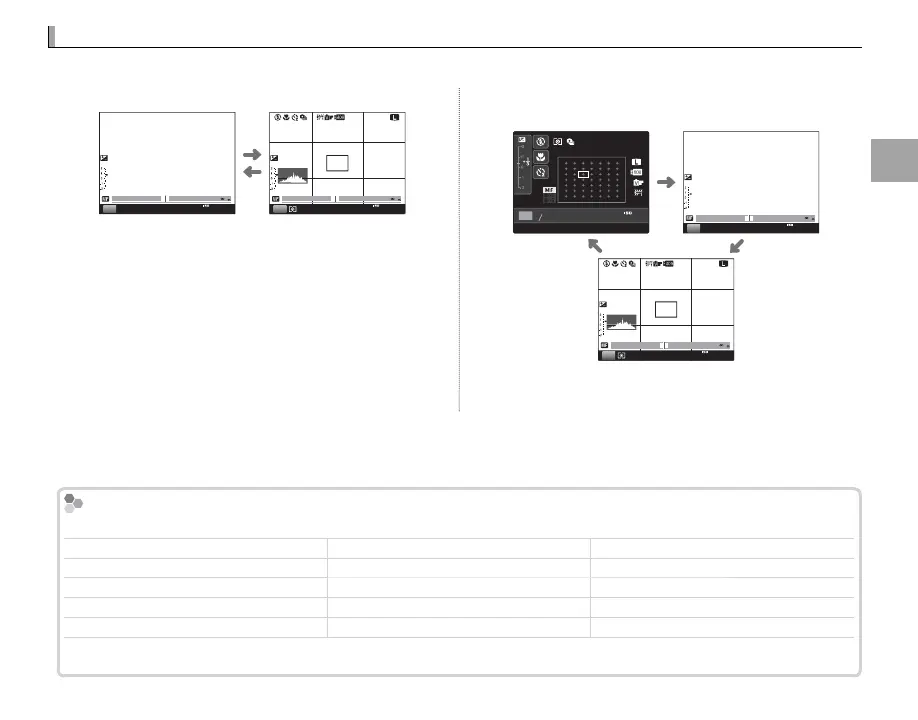
The DISP/BACK button controls the display of indicators in the view nder and LCD monitor.
■ View nder: Shooting
0.1 0.5 1.0 1.5 2.0 3.0 5.0 10
P
2000
F5.6
200
0.1 0.5 1.0 1.5 2.0 3.0 5.0 10
P
F
100
2000
F5.6
200
Standard display Custom display
■ LCD Monitor: Shooting
Detailed display Standard display
2000
1F5.6
000100
P
200
F
0.1 0.5 1.0 1.5 2.0 3.0 5.0 10
P
2000
F5.6
200
0.1 0.5 1.0 1.5 2.0 3.0 5.0 10
P
F
100
2000
F5.6
200
Custom display
Custom Display
Choose items for display using v DISP. CUSTOM SETTING in the shooting menu (P 71):
Framing grid Exposure (shutter speed, aperture, and sensitivity) Film simulation
Virtual horizon Exposure compensation/exposure indicator Dynamic range
Focus distance (autofocus) Metering Number of exposures remaining/media
Focus distance (manual focus) Flash mode Image quality and size
Histogram White balance Battery level
R See pages 5 – 6 for the locations of these items in the displays.



 To Next Page