82
The Setup Menu
Using the Setup Menu
1
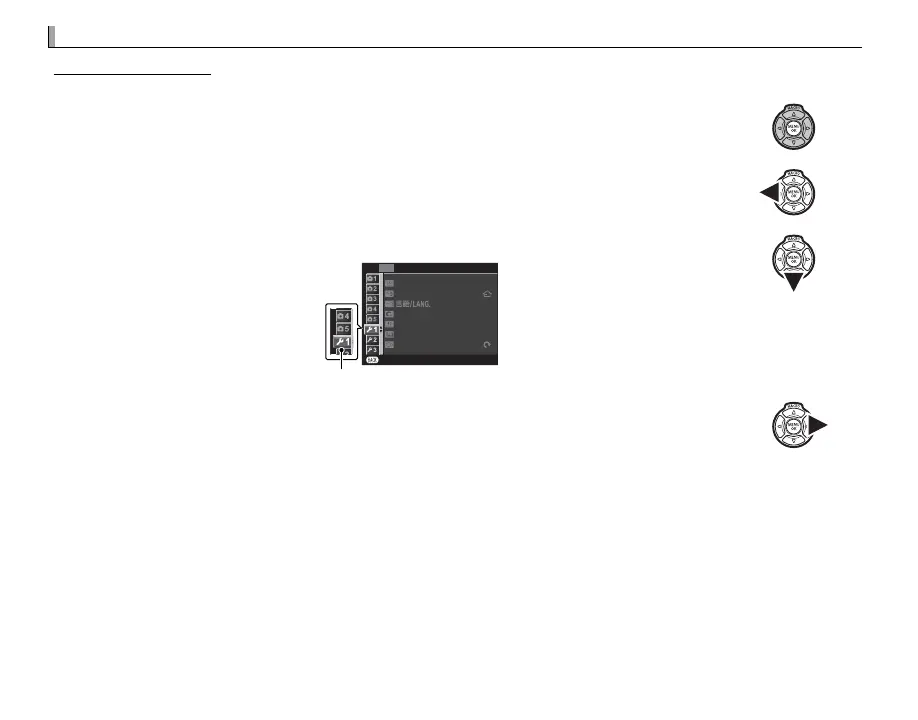
Display the setup menu.
1.1 Press MENU/OK to display the menu for the current mode.
1.2 Press the selector left to highlight the tab for the current menu.
1.3 Press the selector down to highlight Z.
EXIT
SET-UP
DATE/TIME
TIME DIFFERENCE
RESET
SILENT MODE
FRAME NO.
FOCUS RING
CONT.
OFF
ENGLISH
Tab
1.4 Press the selector right to place the cursor in the setup menu.
2
Adjust settings.
Highlight items and press the selector right to view options, then highlight an option and press
MENU/OK. Press DISP/BACK to exit when settings are complete.



 To Next Page