61
More on Photography and Playback
Using a Mount Adapter
When M-mount lenses are attached using an optional FUJIFILM M MOUNT ADAPTER, the camera processes
pictures as they are taken to maintain image quality and correct for a variety of e ects.
R Attaching a mount adapter enables m SHOOT WITHOUT LENS (P 72) and hides the distance indicator in the
standard display.
R Before checking focus, set the focus mode selector to M (P 42).
Mount Adapter Settings
Pressing the function button
on the mount adapter displays
l MOUNT ADAPTOR SET-
TING options.
SET
LENS
1
LENS
2
LENS
3
LENS
4
LENS
5
LENS
6
21
mm
24
mm
28
mm
35
mm
50
mm
75
mm
MOUNT ADAPTOR SETTING
■ Choosing a Focal Length
If the lens has a focal length of
21, 24, 28, or 35 mm, choose
a matching option in the
l MOUNT ADAPTOR SET-
TING menu. For other lenses,
select option 5 or 6 to display the menu at right,
press the selector right to display focal length
settings, and use the selector to enter the focal
length.
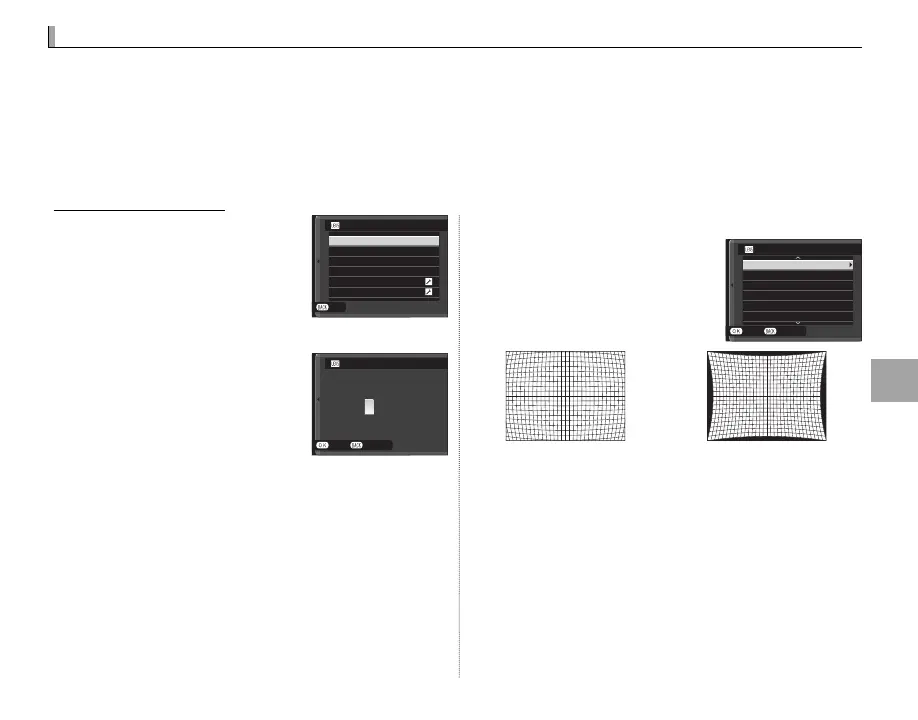
■ Distortion Correction
Choose from STRONG, MEDI-
UM, or WEAK options to cor-
rect BARREL or PINCUSHION
distortion.
CANCEL
BARREL STRONG
BARREL MEDIUM
BARREL WEAK
OFF
PINCUSHION WEAK
PINCUSHION MEDIUM
LENS
5
DISTORTION CORRECTION
SET
Barrel distortion Pincushion distortion
R To determine the amount required, adjust distor-
tion correction while taking photos of graph paper
or other objects featuring repeating vertical and
horizontal lines, such as the windows in a high-rise.
0
2
1
9
8
50mm
LENS
5
CANCELSET
INPUT FOCAL LENGTH



 To Next Page