72
Using the Menus: Shooting Mode
c
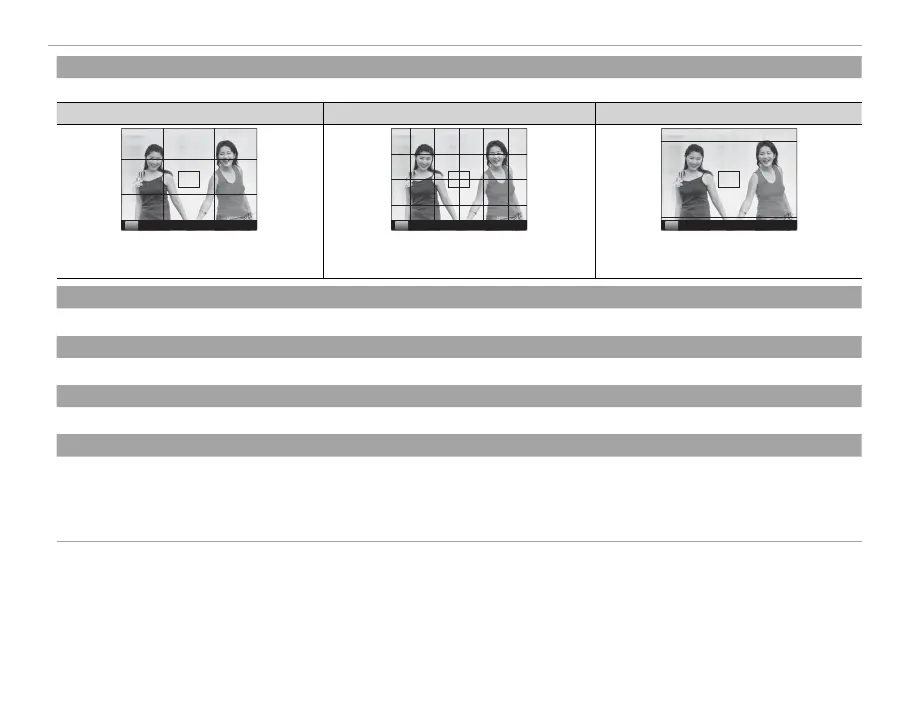
FRAMING GUIDLINE
(
default:
F
GRID 9)
Choose the type of framing grid available in shooting mode.
F
GRID 9
G
GRID 24
H
HD FRAMING
P P P
For “rule of thirds” composition. A six-by-four grid. Frame HD pictures in the crop shown by the
lines at the top and bottom of the display.
l
MOUNT ADAPTOR SETTING
(
default:
50mm)
Adjust settings for M-mount lenses connected using an optional FUJIFILM M MOUNT ADAPTER (P 61).
m
SHOOT WITHOUT LENS
(
default:
OFF)
Choose whether shutter release is enabled when no lens is attached.
n
MULTIPLE EXPOSURE
(
default:
OFF)
Create a photograph that combines two exposures (
P 53).
F
AF MODE
(
default:
t
AREA)
Choose how the camera selects the focus area when in focus mode S.
• s MULTI: When the shutter button is pressed halfway, the camera detects high-contrast subjects and selects the focus area
automatically.
• t AREA: Choose the focus area manually (P 44).



 To Next Page