51
More on Photography and Playback
Film Simulation
Simulate the e ects of di erent kinds of lm, including black-and-white (with or without color lters).
1
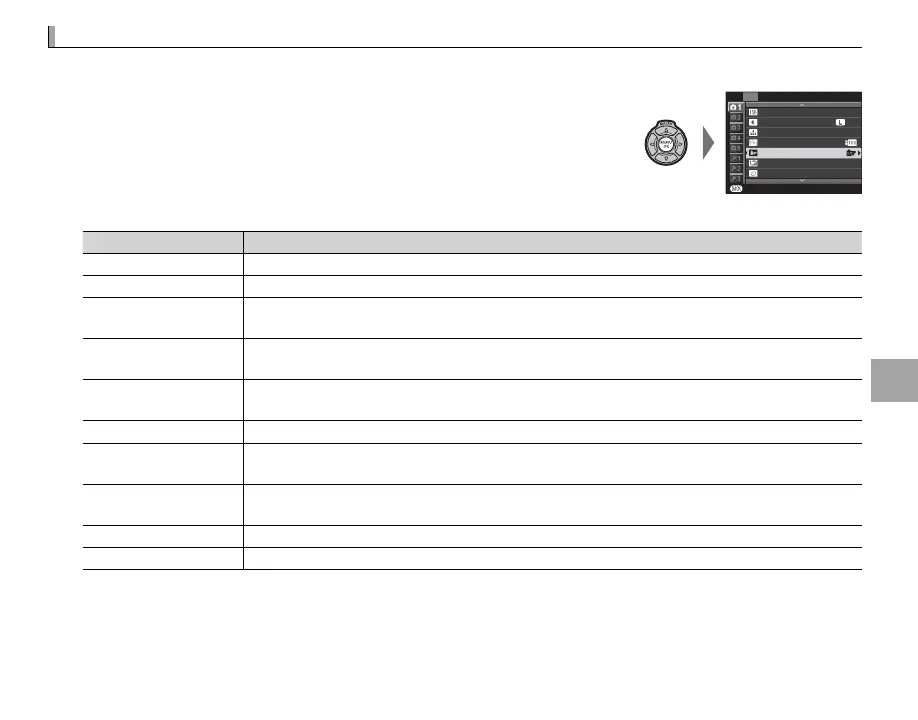
Press MENU/OK in shooting mode to display the shooting menu. Press
the selector up or down to highlight P FILM SIMULATION and
press MENU/OK.
P
ISO
SHOOTING MENU
IMAGE SIZE
IMAGE QUALITY
DYNAMIC RANGE
FILM SIMULATION
FILM SIMULATION BKT
SELF-TIMER
EXIT
OFF
3
:
2
F
200
2
Press the selector up or down to highlight one of the following options and press MENU/OK to select.
Option
Description
c
(PROVIA/STANDARD)
Standard color reproduction. Suited to a wide range of subjects, from portraits to landscapes.
>
(Velvia/VIVID)
A high-contrast palette of saturated colors, suited to nature photos.
e
(ASTIA/SOFT)
Enhances the range of hues available for skin tones in portraits while preserving the bright blues
of daylight skies. Recommended for outdoor portrait photography.
g
(PRO Neg. Hi)
O ers slightly more contrast than h (PRO Neg. Std). Recommended for outdoor portrait pho-
tography.
h
(PRO Neg. Std)
A soft-toned palette. The range of hues available for skin tones is enhanced, making this a good
choice for studio portrait photography.
;
(MONOCHROME)
Take pictures in standard black and white.
e
(MONOCHROME + Ye FILTER)
Take black-and-white pictures with slightly increased contrast. This setting also slightly tones
down the brightness of the sky.
d
(MONOCHROME + R FILTER)
Take black-and-white pictures with increased contrast. This setting also tones down the bright-
ness of the sky.
f
(MONOCHROME + G FILTER)
Soften skin tones in black-and-white portraits.
f
(SEPIA)
Take pictures in sepia.
R Film simulation options can be combined with tone and sharpness settings (P 70).



 To Next Page