Working with the notebook
440 N00072 23
Touchpad and touchpad buttons
!
Keep the touchpad clean, protect it from dirt, liquids, and grease.
Do not use the touchpad if your fingers are dirty.
Do not rest heavy objects (e.g. books) on the touchpad or the touchpad buttons.
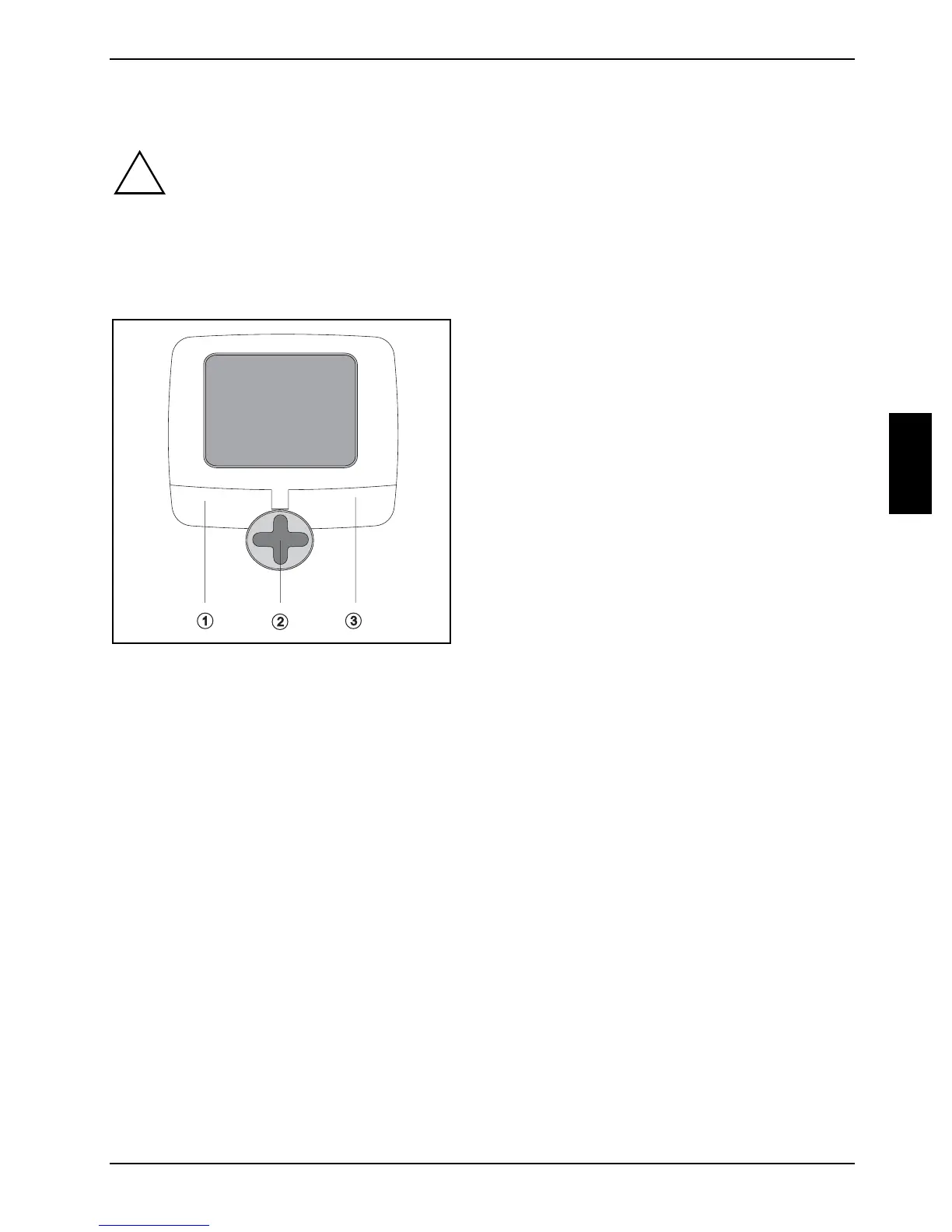
The touchpad enables you to move the mouse pointer on the screen. The touchpad buttons allow
the selection and execution of commands. They correspond to the buttons on a conventional
mouse.
1 = Left touchpad button
2 = Touchpad scroll button
3 = Right touchpad button
Moving the pointer
Ê Move your finger on the touchpad.
The pointer will move accordingly.
Selecting an item
Ê Move the pointer to the item you wish to select.
Ê Tap the touchpad once or press the left button once.
The item will be selected.
Executing a command
Ê Move the pointer to the field you wish to select.
Ê Tap the touchpad twice or press the left button twice.
The command will be executed.



 To Next Page