Appendix
Chapter 8 Troubleshooting
Glossary
Introduction
Index
Contents
TOP
108
How to Load
Documents
Configuring the
Scan Settings
How to Use the
Operator Panel
Various Ways to
Scan
Daily Care
Operational
Settings
Replacing the
Consumables
Scanner
Overview
Troubleshooting
Quality of the scanned photo/picture is poor
when scanning in black & white mode.
*1: The scanned image may differ from the original image significantly if
you simply "binarize" (output in black & white) a picture or a photo. If
the setting can be configured from the scanner driver's setup dialog
box, set the image mode to [Halftone] or [Grayscale] and scan.
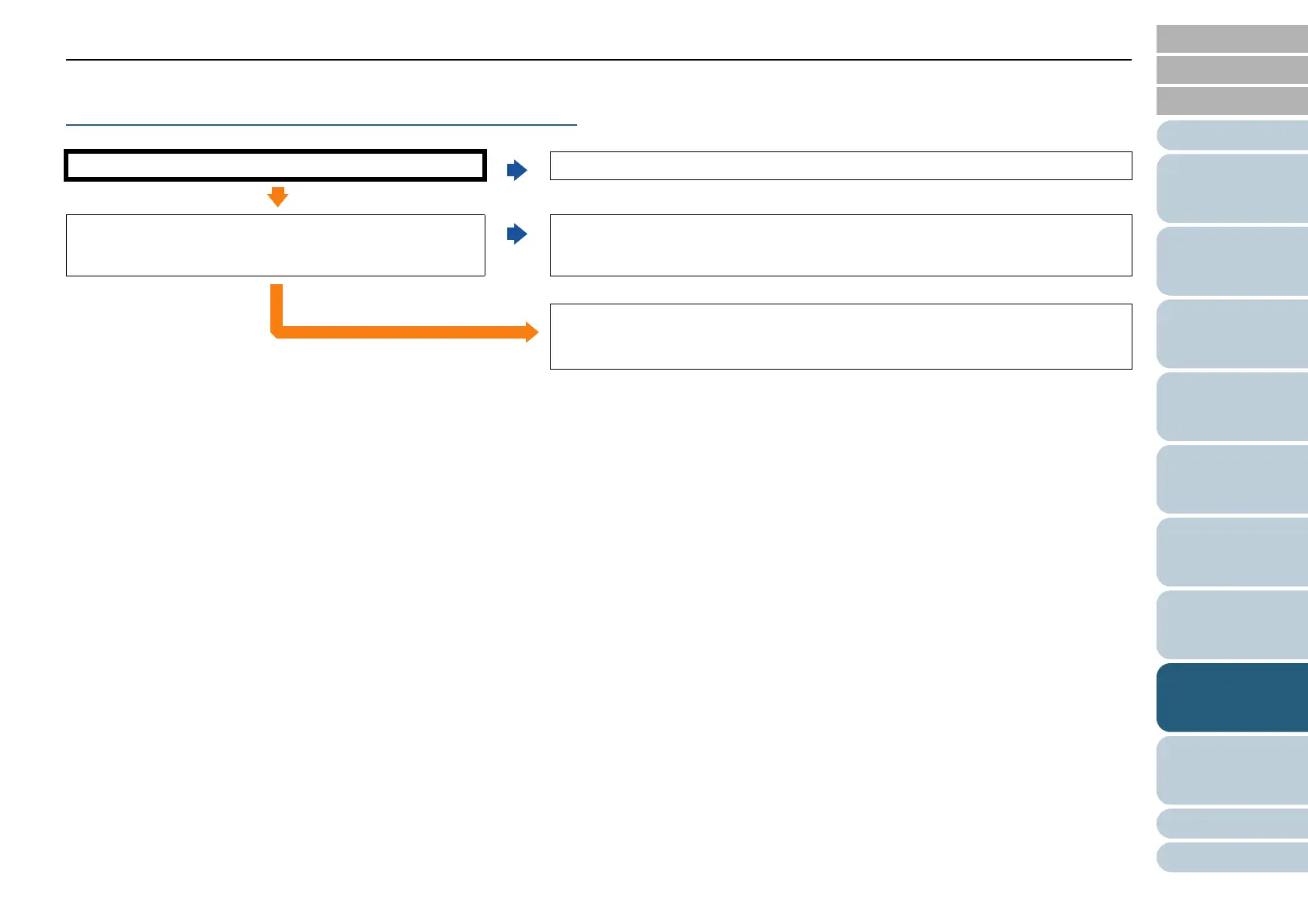
Are you scanning in "Halftone" or "Grayscale"?
No
Select [Halftone] or [Grayscale] in the scanner driver and scan. (*1)
Ye s
Are the glasses inside the ADF clean?
No
Clean the glasses and rollers inside the ADF.
For details, refer to "Chapter 6 Daily Care" (page 85).
Ye s
If the problem persists, check the items in "8.4 Before You Contact the Scanner
Service Provider" (page 121) first, then contact your FUJITSU scanner dealer or
an authorized FUJITSU scanner service provider.



 To Next Page
 Loading...









