Actions (for Mac OS users)
382
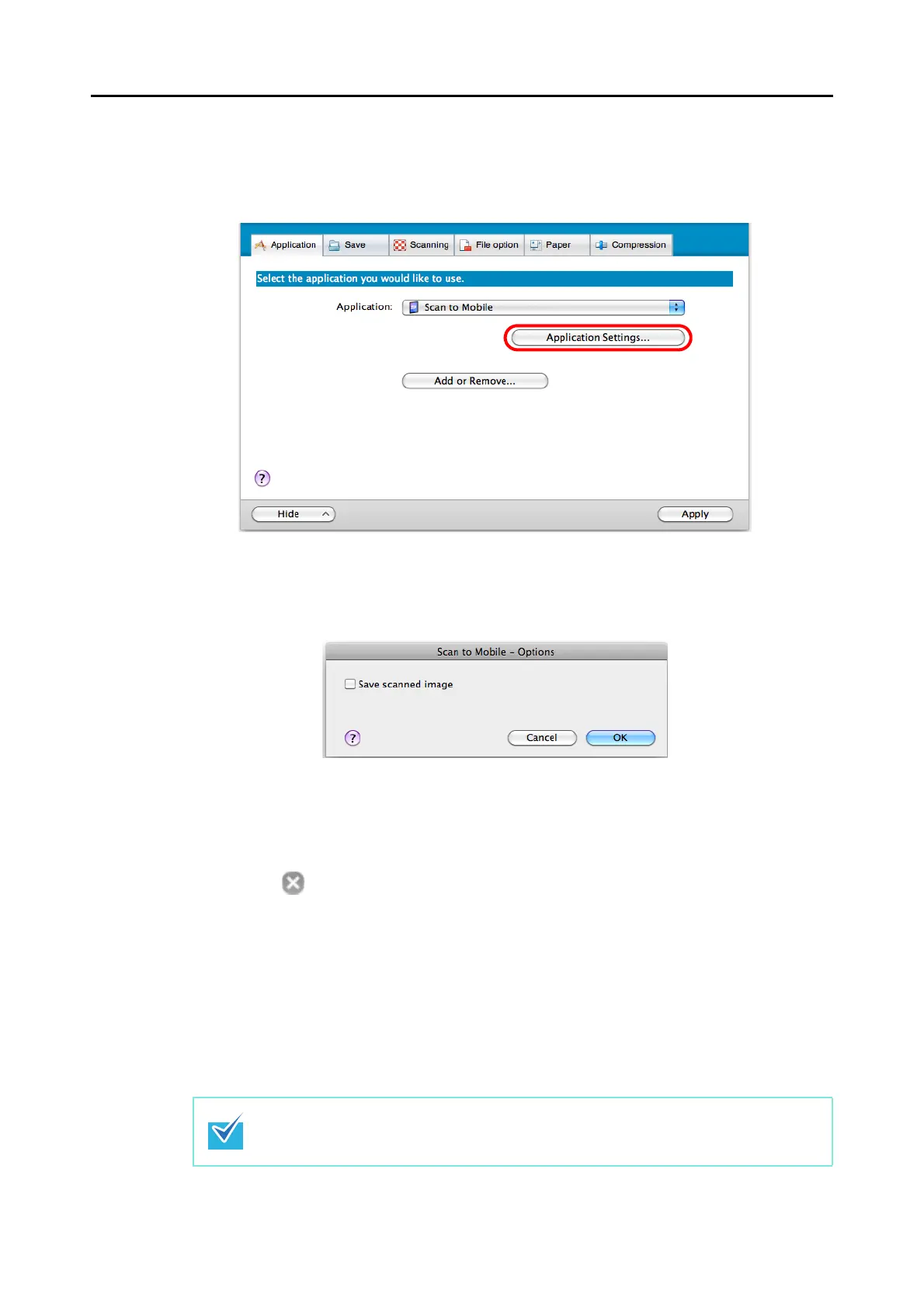
3. Change the settings for [Scan to Mobile] (If you do not want to change
any settings, go to step 4.).
1. Click the [Application Settings] button.
DThe [Scan to Mobile - Options] window appears.
2. Change the setting.
For details about the [Scan to Mobile - Options] window, refer to the ScanSnap
Manager Help.
3. Click the [OK] button to close the [Scan to Mobile - Options] window.
4. Click the [Apply] button.
5. Click the [ ] button in the upper left corner to close the ScanSnap
setup window.
6. Load a document in the ScanSnap.
For details about how to load documents, refer to "How to Load Documents" (page 31).
7. Press the [Scan/Stop] button on the ScanSnap to start scanning.
Load another document in the ScanSnap when you want to scan multiple sheets. Scanning
starts automatically when a document is loaded.















 To Next Page