Clearing the Password
Clear the password in the following procedure.
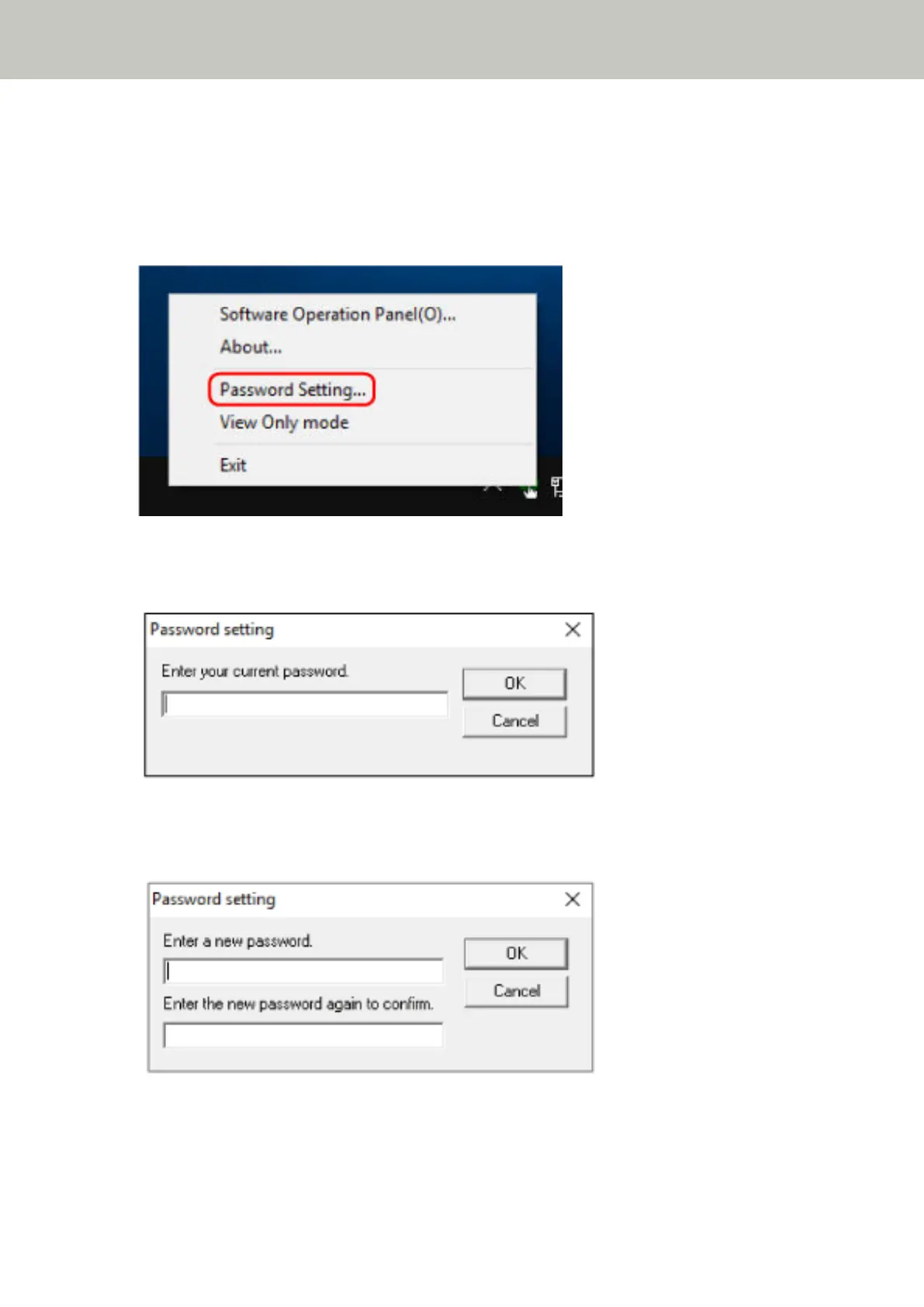
1 Right-click the Software Operation Panel icon in the notification area located at the far right of the task
bar, and select [Password Setting] from the menu.
The [Password setting] window appears.
2 Enter the current password and click the [OK] button.
The [Password setting] window appears.
3 Leave both fields blank and click the [OK] button.
A message window appears.
4 Click the [OK] button.
Scanner Settings (Software Operation Panel)
130



 To Next Page
 Loading...







