BIOS Setup Utility 10
Primary Master Submenu Options 2
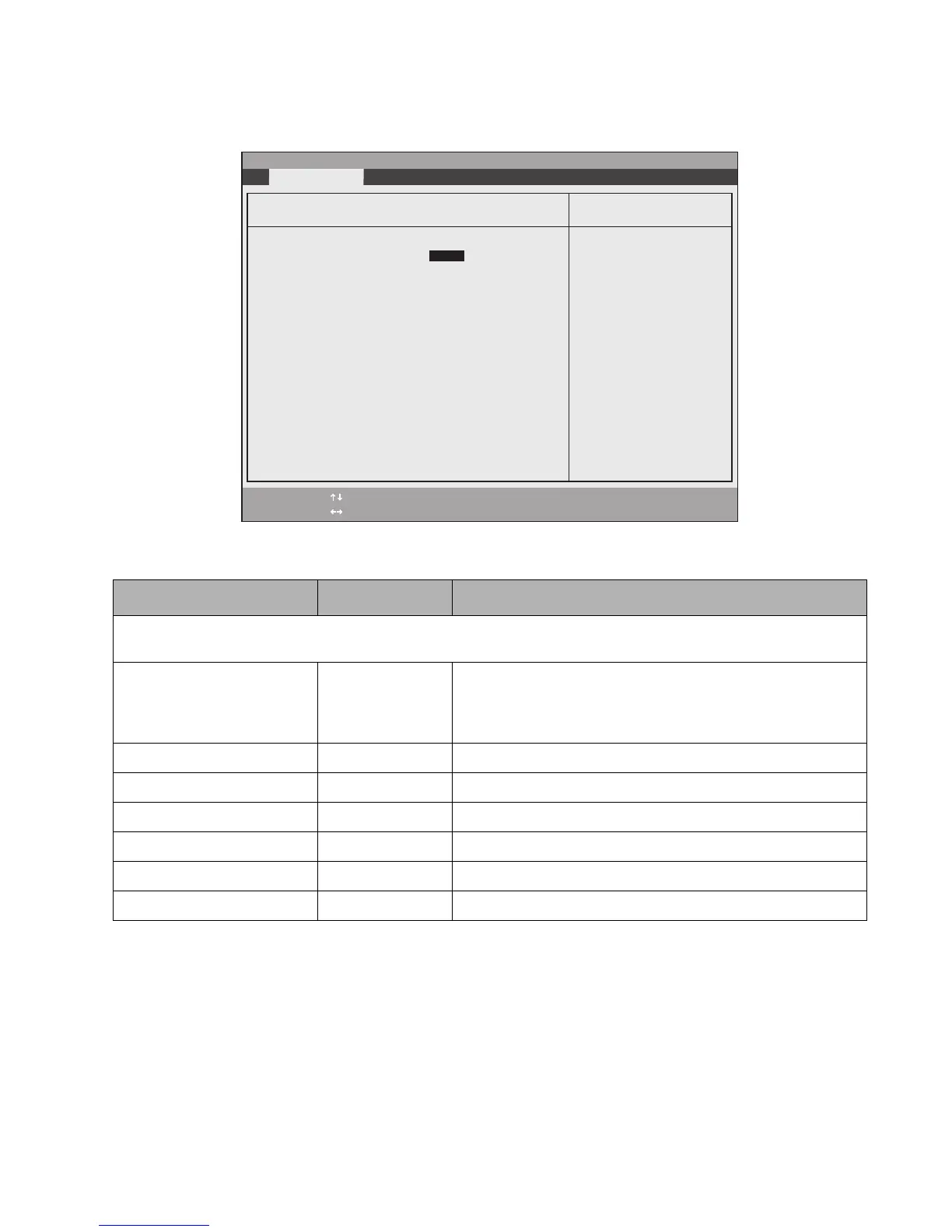
Options and settings for the Primary Master Submenu are given in Table 2-2.
Table 2-2. BIOS Setup Primary Master Configuration Options
Option Settings Description
Note: the following settings reflect the fields when Auto is selected as the type. If Hard Disk or CD-ROM are selected,
additional objects are displayed, such as Cylinders and Heads.
Type: Auto
None
CD-ROM
Hard Disk
Select [Auto] to load configuration parameters from the hard drive
automatically. Selecting CD-ROM or Hard Disk allows you to
change the parameters of the selected drive. Selecting [None]
disables the hard drive.
Total Sectors: ___ Display only.
Maximum Capacity: xxxxMB Display only.
Multi-Sector Transfers: 16 Sectors Display only.
LBA Mode Control: Enabled Display only.
Transfer Mode: Multiword DMA 2 Display only.
Ultra DMA Mode: Disabled Display only.
PhoenixBIOS Setup Utility
F1 Help
ESC Exit
Select Item
Select Menu
- Change Values Space
Enter Select Sub-Menu
F9 Setup Defaults
F10 Save and Exit
▲
Item Specific Help
Select ATA/ATAPI drive
installed here.
[Auto]
The BIOS auto-types the
drive on boot time.
Except [Auto]
You enter parameters of
the drive.
[None]
The drive is disabled.
Exit Submenu
Primary Master [FUJITSU MHT2060AT-(PM)]
Type: [Auto]
LBA Format
Total Sectors: 117210240
Maximum Capacity: 60012MB
Multi-Sector Transfers: [16 Sectors]
LBA Mode Control: [Enabled]
Transfer Mode: [Multiword DMA 2]
Ultra DMA Mode: [Mode 5]



 To Next Page
 Loading...