1. OPERATION
1-35
1
Navigation alarms
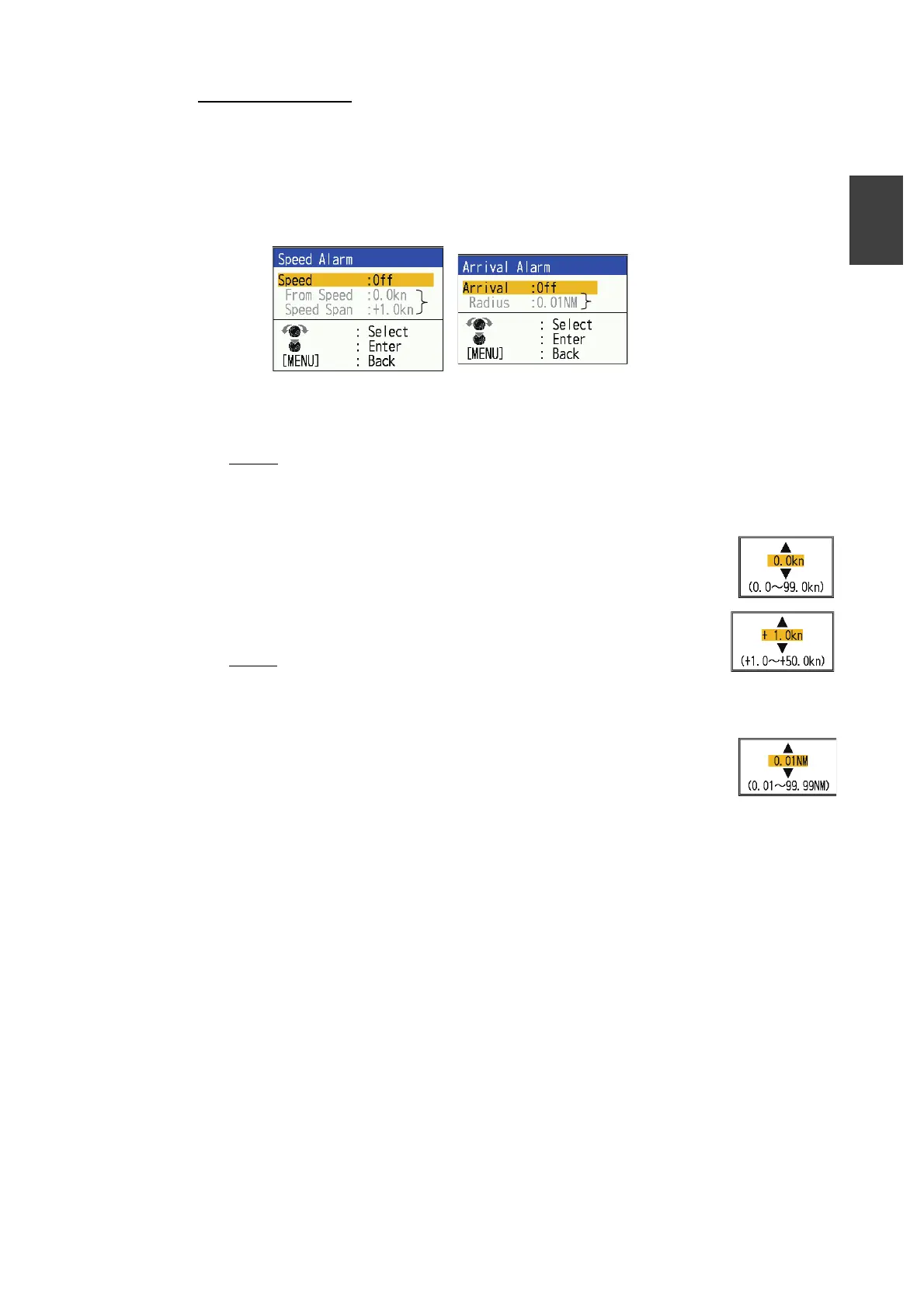
Do the following to set the navigation alarms (speed alarm and arrival alarm).
1. Press the MENU/ESC key to open the menu.
2. Select [Alarm], then press the KNOB.
3. Select [Speed] or [Arrival], then press the KNOB.
4. Do one of the following two procedures according to the item selected at step 3.
Speed
1) Select [Speed], then press the KNOB.
2) Select [Inside] or [Outside] as applicable, then press the KNOB.
3) Select [From Speed], then press the KNOB.
4) Enter the starting speed, then press the KNOB.
5) Select [Speed Span], then press the KNOB.
6) Enter the width of the alarm, then press the KNOB.
Arrival
1) Select [Arrival], then press the KNOB.
2) Select [Inside] or [Outside] as applicable, then press the KNOB.
3) Select [Radius], then press the KNOB.
4) Enter the alarm radius, then press the KNOB.
5. Press the MENU/ESC key twice to close the window.
Note: To deactivate the alarm, select [Off] in 2) of step 4.
*
*
* Settable when alarm is activated.



 To Next Page