1. OPERATION
1-34
11) Enter the alarm width, then press the KNOB.
The span of the yellow alarm marker decreases when [] is pressed and increas-
es when [] is pressed.
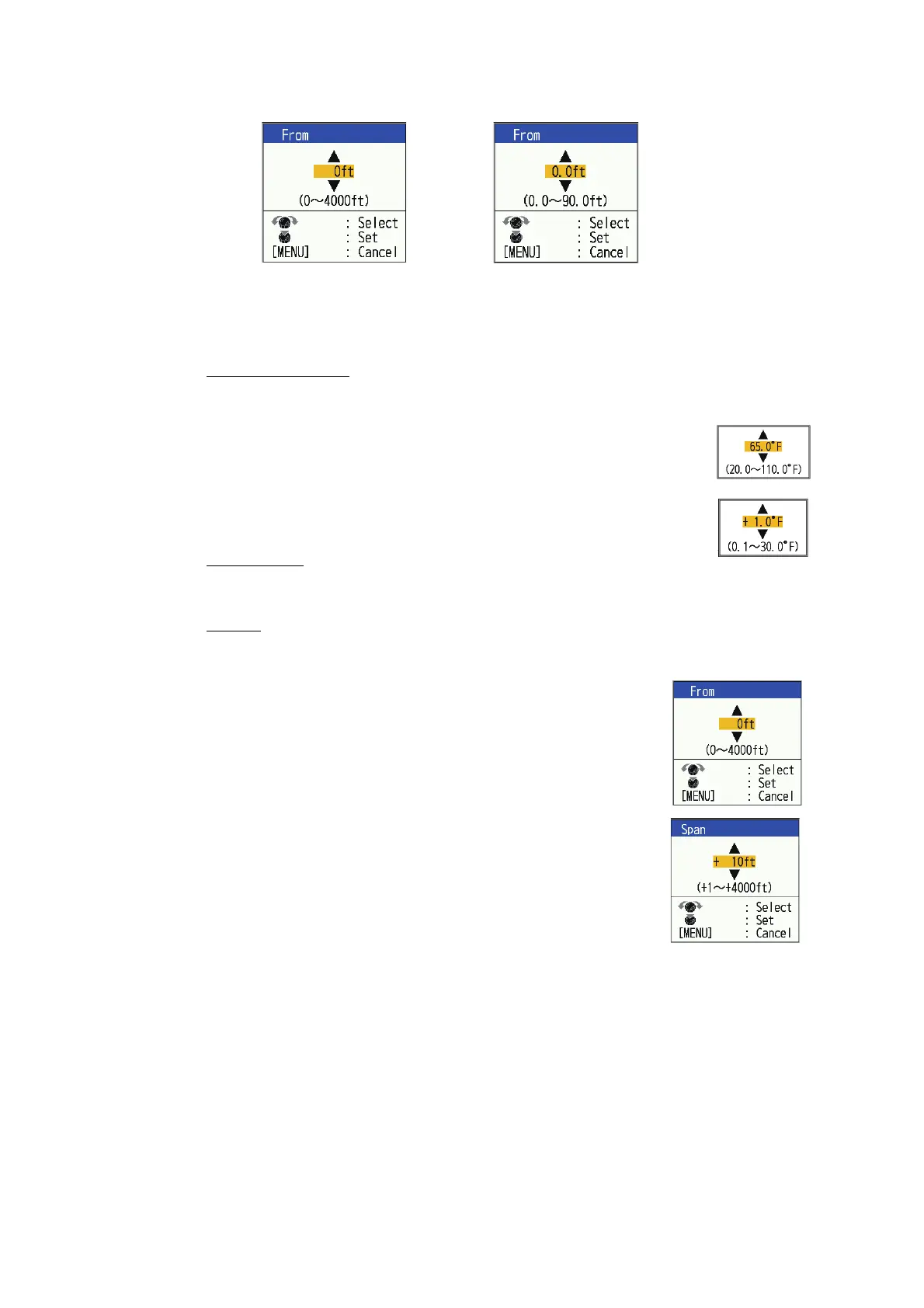
Water temperature
1) Select [Inside] or [Outside] as applicable, then press the KNOB.
2) Select [From], then press the KNOB.
3) Enter the starting temperature for the alarm, then press the
KNOB.
4) Select [Span], then press the KNOB.
5) Enter the width for the alarm, then press the KNOB.
Bottom Type
Select [Rock], [Gravel], [Sand] or [Mud], then press the KNOB.
Bottom
1) Set [Bottom] to [On], then press the KNOB.
2) Select [From], then press the KNOB.
3) Set the starting depth, then press the KNOB.
4) Select [Span], then press the KNOB.
5) Set the width of the alarm, then press the KNOB.
11. Press the MENU/ESC key to show the [Fish School]
setting window.
12. Select [Alarm], then press the KNOB.
13. Select [On], then press the KNOB.
14. Press the MENU/ESC key twice to close the window.
Note 1: To deactivate an alarm, select [Off] at step 13 in the above procedure.
Note 2: The default alarm settings in step 5 to step 13 can be restored. Open the [Fish
Alarm] setting window, select [Reset?], press the KNOB, select [Yes], then press the
KNOB.
[ACCU-FISH],[Fish School] alarms
[Bottom Fish (Only BL)] alarm



 To Next Page