Operators and Technicians Manual
2006 – 2013 FutureLogic, Incorporated. All Rights Reserved. MNL Page 6 04/29/2013
MNL-000032 REV.D
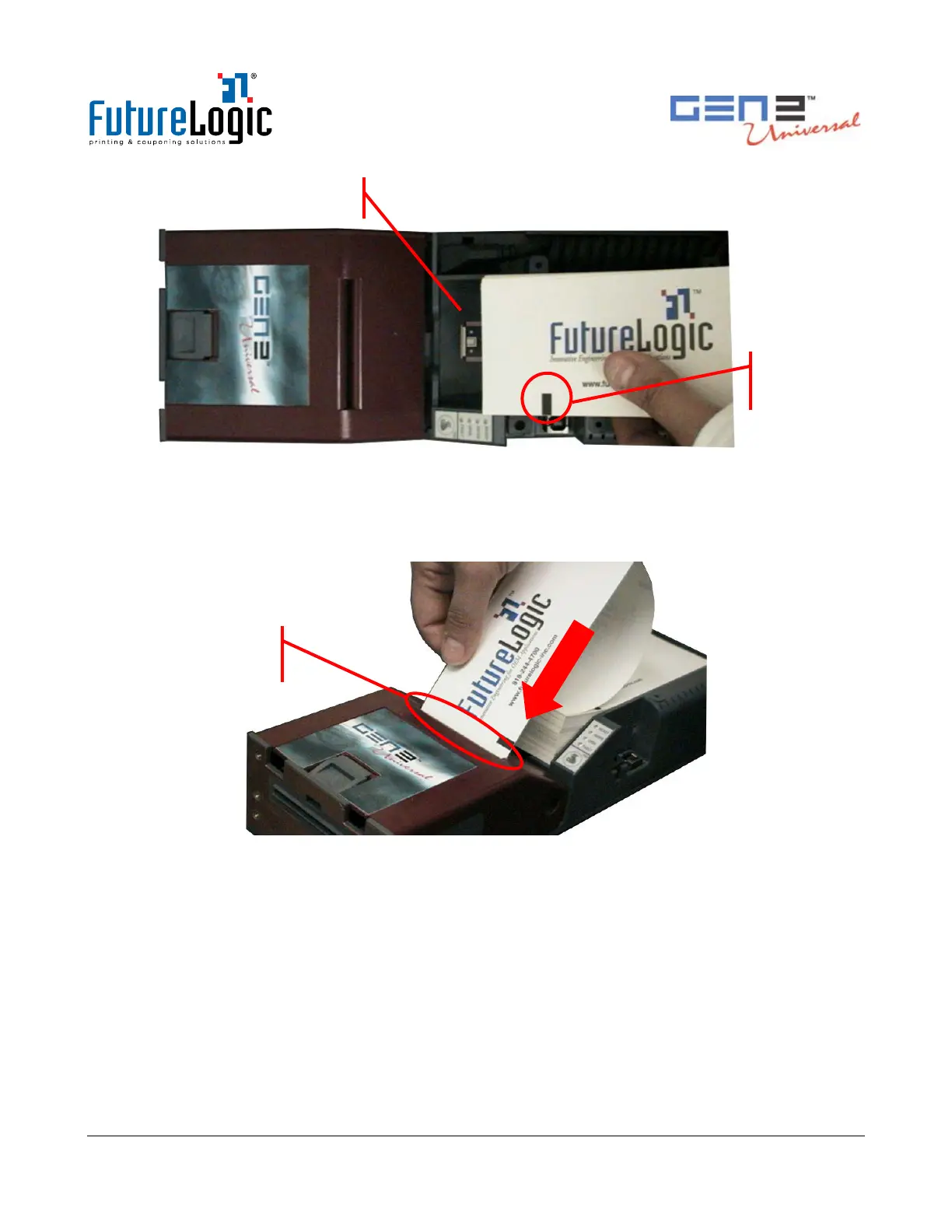
Figure 3-2 Load a Paper Stack
3. Feed the paper into the Paper Loading Slot and release it once the motor engages and the printer
takes hold of the paper.
The printer pulls through a form or two, leaving it registered at the top of a form.
Figure 3-3 Feed Paper into Paper Loading Slot
4. Remove any excess ticket(s) from the printer.
Feeding Paper
The printer is designed to run with black mark indexed paper.
To feed paper into the printer:
• Press the FEED button.
Additionally, press the FEED button to advance the paper to the top of the next form.
rk



 To Next Page