Operators and Technicians Manual
2006 – 2013 FutureLogic, Incorporated. All Rights Reserved. MNL Page 3 04/29/2013
MNL-000032 REV.D
3 Operator Interface
Introduction
This chapter covers various operations of the printer including loading paper and clearing a
paper jam.
Operator Indicators and Controls
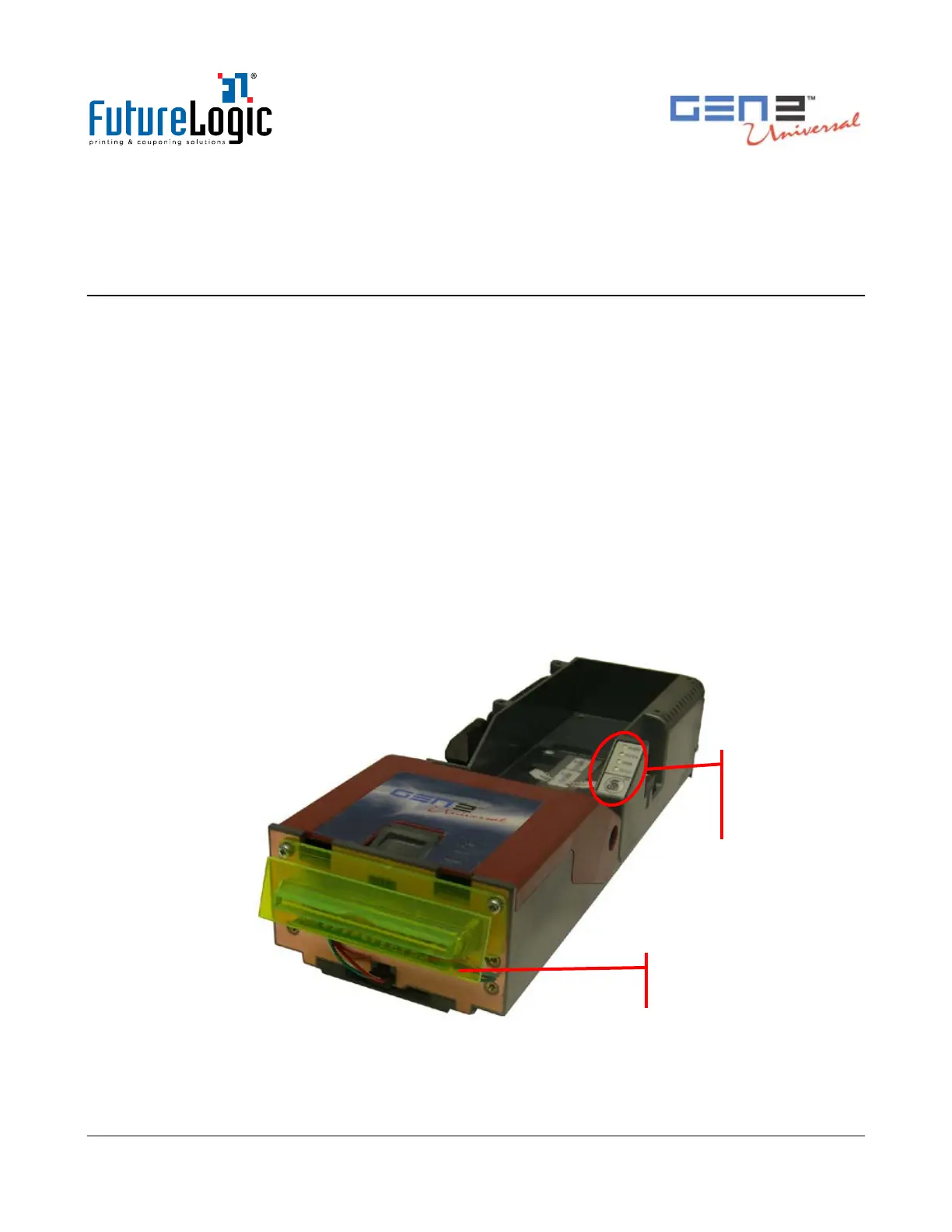
The printer is equipped with status indicators and a FEED button for the management and
interpretation of the printer operations.
The status indicators are:
• Front bezel light
• Keypad lights:
• Ready – Green
• Paper – Yellow
• Open – Orange
• Fault – Red
The following figure illustrates the location of these indicators and controls.
Figure 3-1 Operator Indicators and Controls
Status Lights
and Keypad
with FEED
button



 To Next Page