p.22
Setting Up G-CONNECT
Copy Content as a Network Drive (Win)
As already mentioned, you can alternately add les to G-CONNECT by treating the
device as a network drive. Here are the steps on a Windows
®
machine.
1. First, select your G-CONNECT Wireless Network (SSID) through your Wireless
Network Manager.
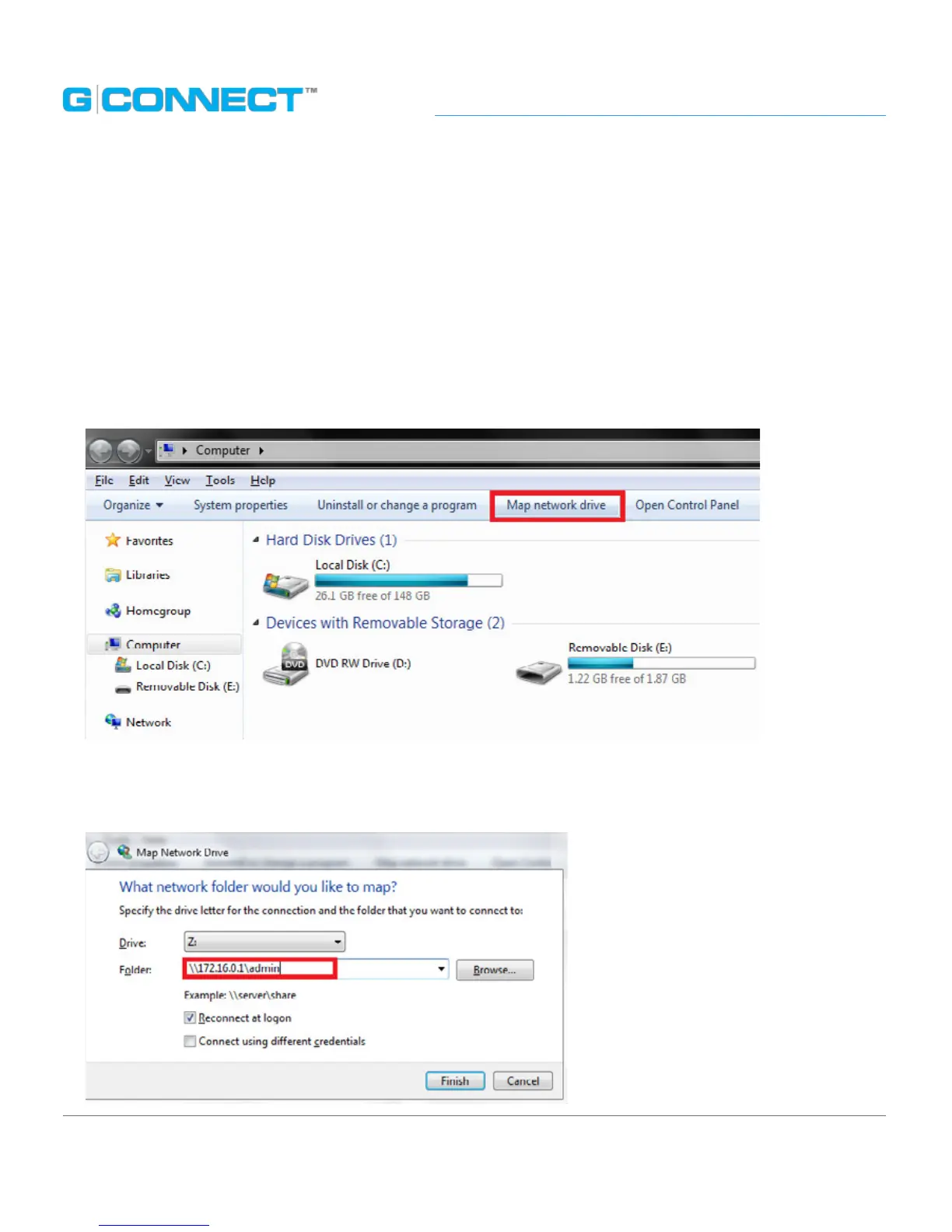
2. Next, click the Computer icon, then click on Map Network Drive.
3. You will be prompted to enter a server to connect to. Enter the same address you
would use to connect through the Web Application: \\172.16.0.1\admin















 To Next Page