p.19
Setting Up G-CONNECT
Add Content to G-CONNECT
Once your G-CONNECT device is set up, you will be ready to transfer content onto it for
your viewing pleasure.
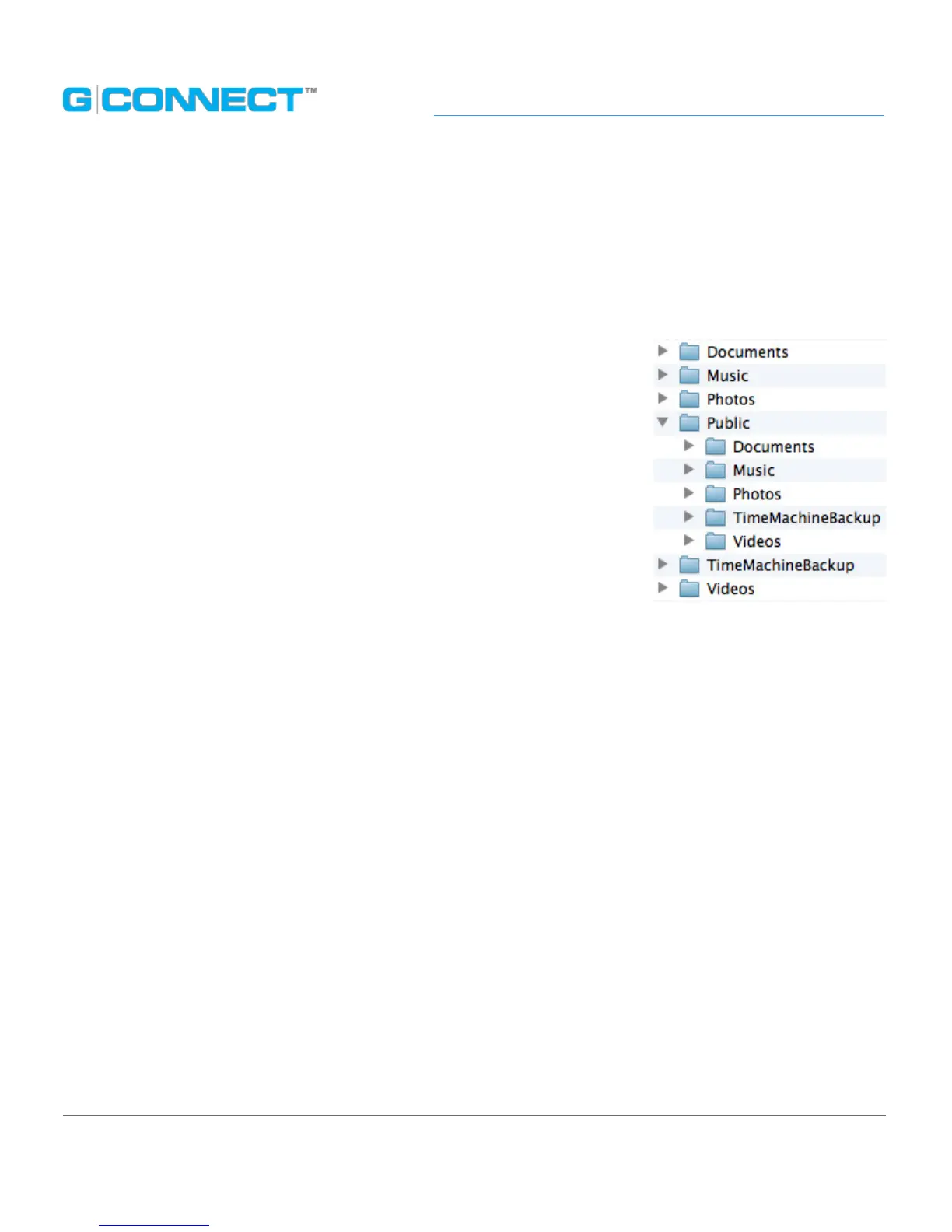
The device has been pre-loaded with the following category
folders, which is the recommended way to organize your les
when you add content.
• Documents: You can store dierent types of document les in
this folder, such as .DOC or .PDF.
• Music: You can store dierent types of music les in this folder,
such as .MP3 or .M4A.
• Photos: You can store dierent types of image les in this
folder, such as .JPG or .TIFF.
• Public: The Public folder is a way for the Admin user to share content stored on his
G-CONNECT with Guest users. This folder is viewable by both the Admin and Guest
users. It also contains another set of sub-folders, which includes Documents, Music,
Photos, Apple Time Machine
®
Backup and Videos, which can be used to organize this
public content.
• Apple Time Machine
®
Backup: If you are using a Mac
®
computer, you will see this
folder, which contains les from incremental backups that can be restored
at a later date.
• Videos: You can store dierent types of video les in this folder such as .M4V or .MOV.















 To Next Page