p.43
Overview of iPad
®
/iPhone
®
App
Header Bar
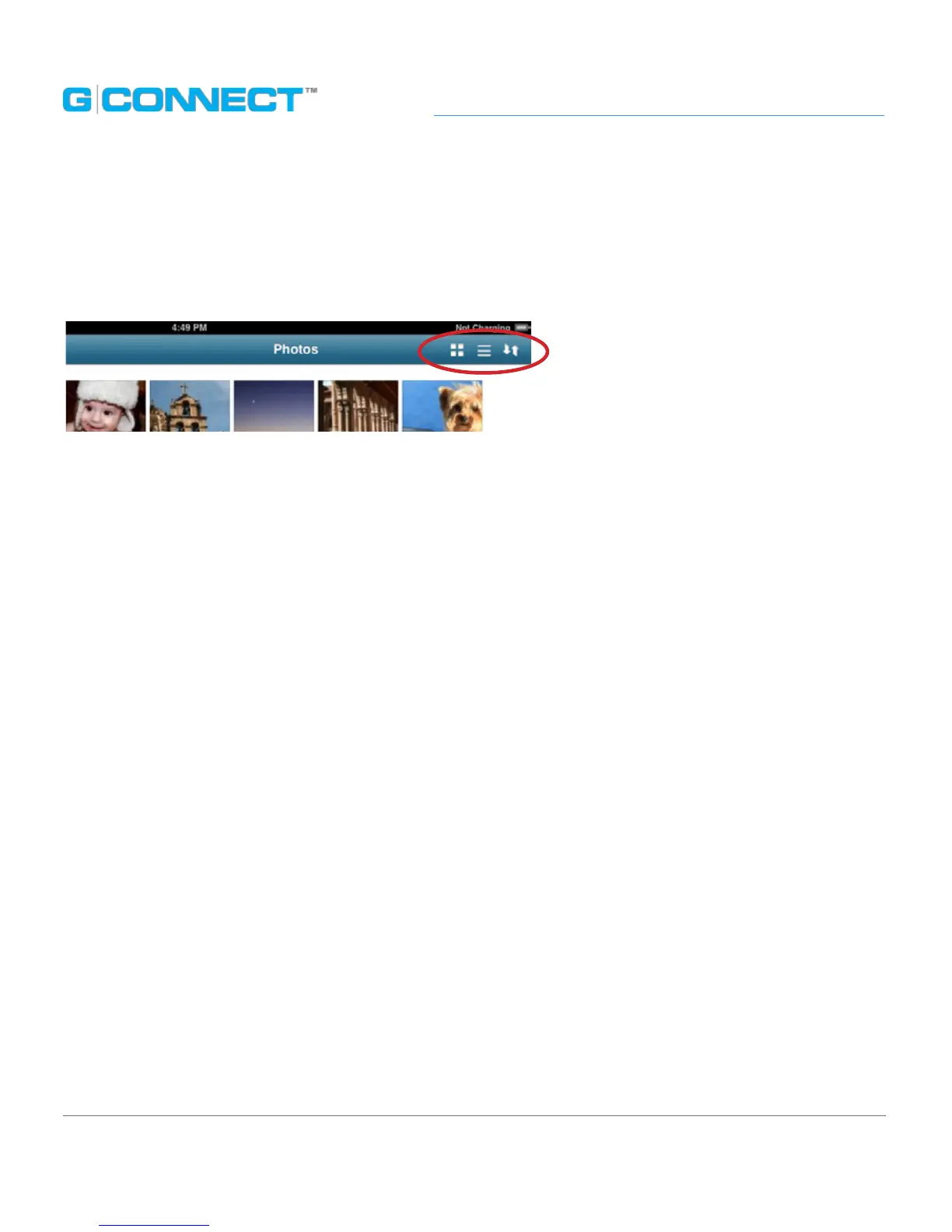
Horizontally across the top of the screen is the Header Bar, which contains features
such as the Thumbnail View, List View and Sort.
Thumbnail Viewing Mode Button
Thumbnail Viewing mode displays small pictorial images of les on G-CONNECT along
with the le name underneath. The image that is displayed represents the media type,
such as a .JPG or .PDF document.
Folders such as the Public folder and any sub folders the user may create will also be
listed here. The Thumbnail Viewing mode does not have the ability to sort content.
This is only available in the List Viewing mode.
List Viewing Mode Button
List Viewing mode displays media les in a row and column format. Each row contains
a small thumbnail image alongside the le name, le date and le size. Each column
heading allows you to sort the content in this view.
The Main User Interface (UI) contains functions that allow you to sort content, view
content in dierent ltered modes as well as delete les. Some of the functions will
be dierent depending on if you are in the File Browser or within the ltered views of
Photos, Music, Videos or Documents.
Sort
Ability to sort content on the G-CONNECT device by File Name, Date Modied, File Size
and File Type.















 To Next Page