4.6 AV system
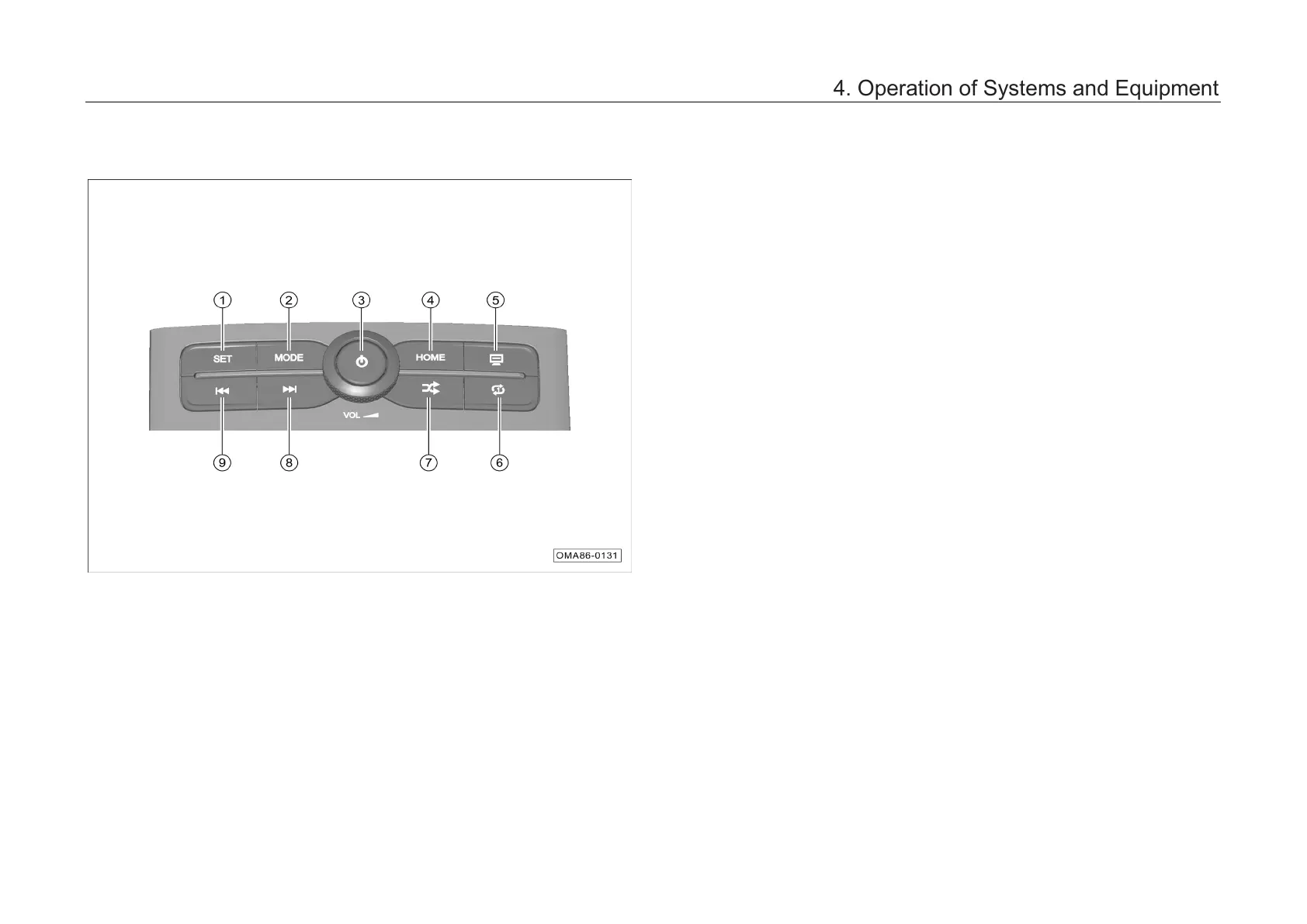
4.6.1 Control panel (applicable to cars with AV main unit)
① Setting button
– Shortly press this button to enter the System
Settings interface; shortly press this button
continuously to switch between the interfaces
as follows: System Settings → Car Settings *
→ Exit.
② Audio source switching button
– Shortly press this button continuously to
switch between the interfaces as follows: FM
→ AM → USB → Bluetooth Music → FM.
③ Power button/Sound volume adjusting knob
– Turn the sound volume adjusting knob to
adjust the sound volume.
– With power on, a short press on this button
will show “Standby” on the audio display, and
the audio source does not work; another short
press on this button will activate the audio
source.
4. Operation of Systems and Equipment



 To Next Page