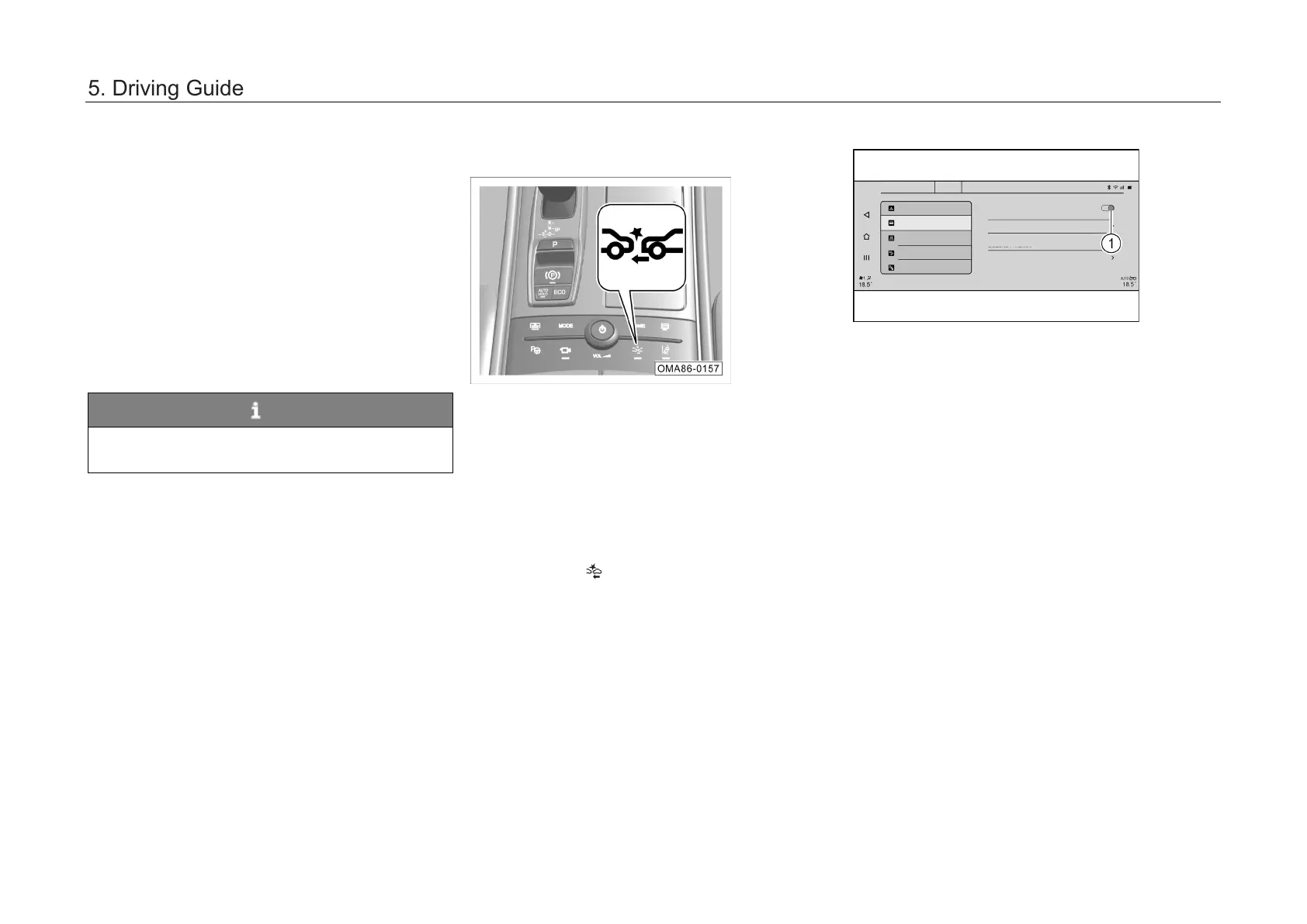
5.4.2 Forward collision warning system *
The forward collision warning system assesses
the danger level of pre-collision by detecting the
relative distance and speed between the vehicle in
front and the car according to the millimeter wave
radar installed on the front of the car and the
intelligent forward camera on the windshield and
synthesizing driver's other operations (such as
depressing the brake pedal or accelerator pedal),
warns the driver as necessary, and timely reminds
the driver to take measures to avoid or mitigate
the collision in case of a collision risk.
NOTE
Precautions for use of radar and camera
sensor. => See Page 195
On and off
Working conditions
of the forward collision
warning system are meet when the engine
start/stop button is set to "ON" position and the car
speed is greater than 30 km/h.
The forward collision warning system has a
memory function in on/off state, and is on by
default at delivery. To turn it on/off, perform the
following operations:
– Press the
button to quickly enter the
“System Settings → Driving Assistance →
Longitudinal Driving Assistance” interface of
AV system.
– Click the switch ① to turn on
or off the
forward collision warning system.
Longi tudi nal Dr iv ing Assistance
Lat eral Driving Assistanc e
Blind S pot Dri ving As si st ance
Inte llige nt Pa rking Assis ta nce
FCW S
It gi ves a warning i n ca se of a collision ris k, a nd is on by
defa ult whe n the ca r is star ted
Active brake assist
The ca r ac hie ves ac tiv e braking in cas e of a colli si on risk
For war d colli si on wa rning distance set ting
5. Driving Guide



 To Next Page