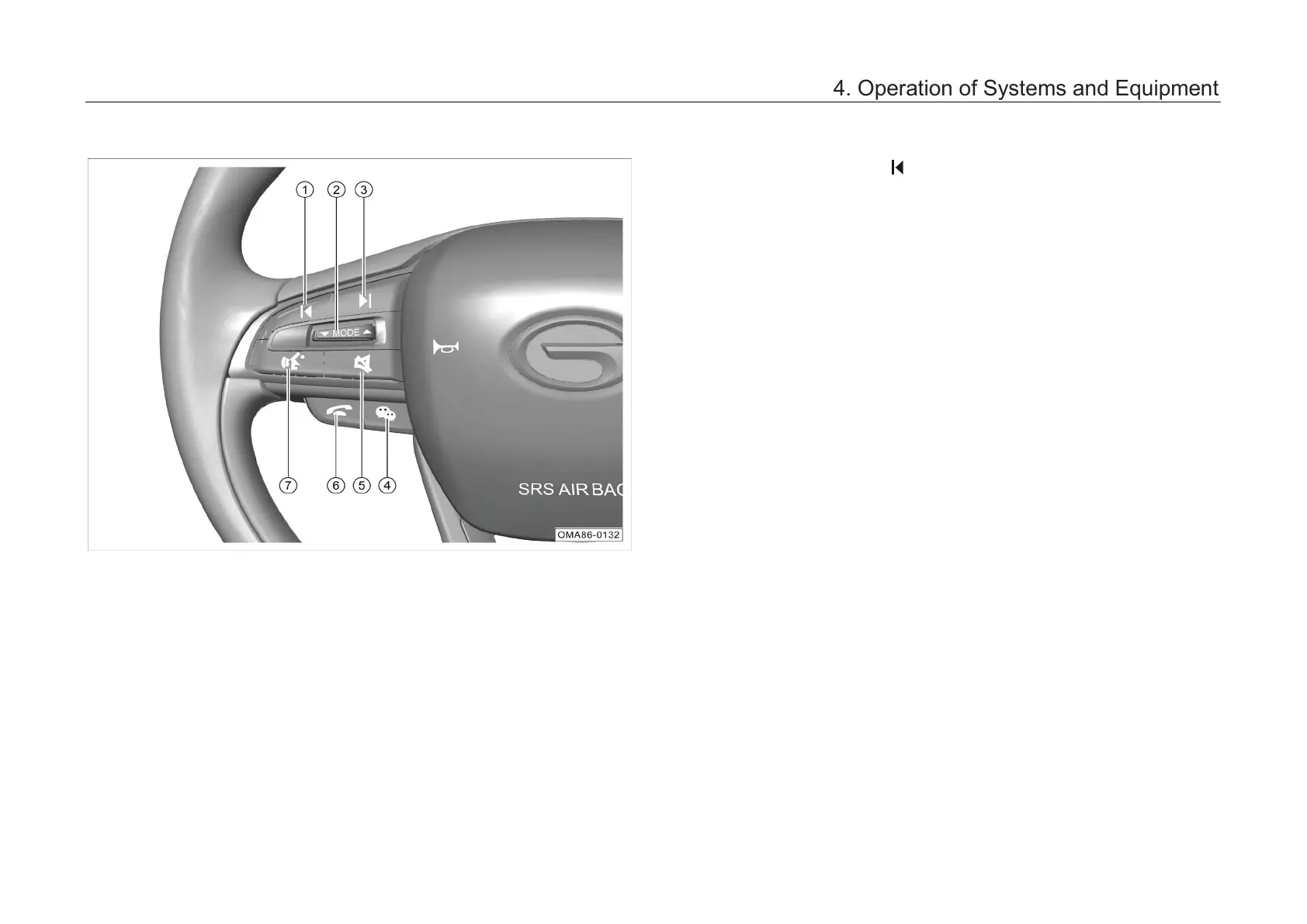
4.6.2 Control buttons on steering wheel
① button
–
In radio mode, shortly press this button to
automatically search for a valid station to low
frequency. If a valid station is found, the
automatic search will be stopped and the
station will start playing.
– When the media source is playing, shortly
press this button to skip to the previous track.
②
Audio source switching/Sound volume
adjusting button
–
Shortly press this button continuously to
switch between the interfaces as follows: FM
→ AM → Online Radio * → USB → Bluetooth
Music → Online Music * → FM.
– Pressing this button will not actively switch to
CarPlay/CarLife music; if CarPlay/CarLife
music is currently playing, pressing this button
will switch to radio mode.
–
This button will interrupt the local voice
process and switch to the audi
currently playing.
–
Toggle up/down this button to adjust the
sound volume.
4. Operation of Systems and Equipment



 To Next Page