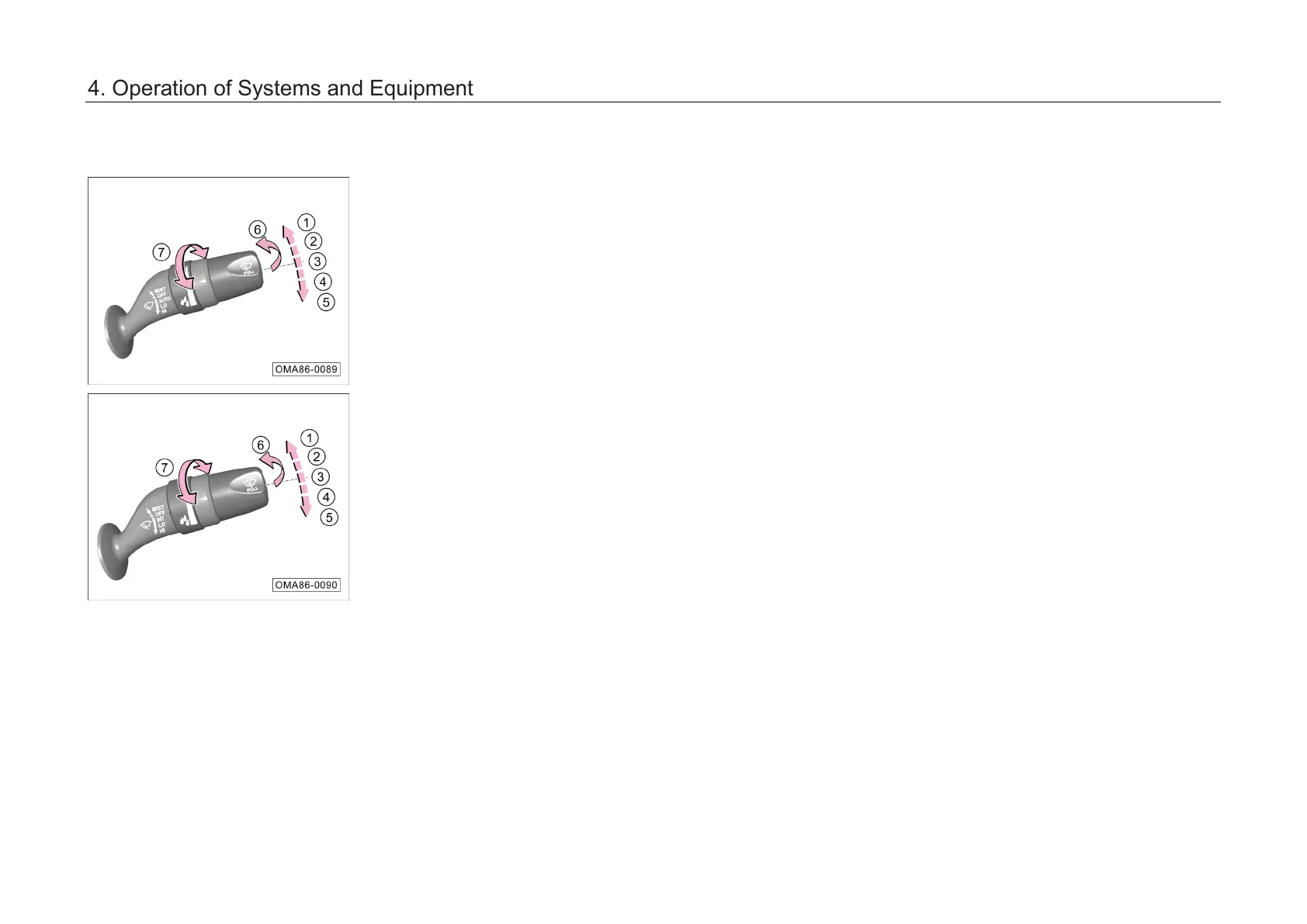
4.3.3 Wiper combination
switch
When the engine start/stop button is in the "ON"
position, the wiper combination switch can be
operated as follows:
① MIST: continuous wiping
② OFF: wiper off
③ AUTO: automatic wiping*
– INT: intermittent wiping*
④ LO: slow speed wiping
⑤ HI: high speed wiping
⑥ Front windshield washer system on
⑦ Adjusting knob:
–
Adjust the sensitivity of automatic wiping
(AUTO)*
– Adjust the intermittent wiping (INT) *
MIST: continuous wiping
–
If the wiper combination switch is turned to
the ① MIST position, the front wiper will start
wiping continuously.
– If the wiper combination switch is released to
automatically return to the ②
the front wiper will stop wiping.
OFF: wiper off
–
If the wiper combination switch is turned to
the ② OFF position, the front wiper will stop
wiping.
AUTO: automatic wiping*
–
If the wiper combination switch is turned to
the ③ AUTO position,
the automatic wiping
function will be activated, and the wiper
system will adjust the wiper speed according
to the current rainfall and the real-
speed.
– This function can be activated or deactivated
by setting the AV system "System Settings →
Body Accessories → Other Accessories →
Auto Wiping". When this function is
deactivated, the function of the wiper in the
AUTO position is equivalent to that in the INT
position.
4. Operation of Systems and Equipment



 To Next Page