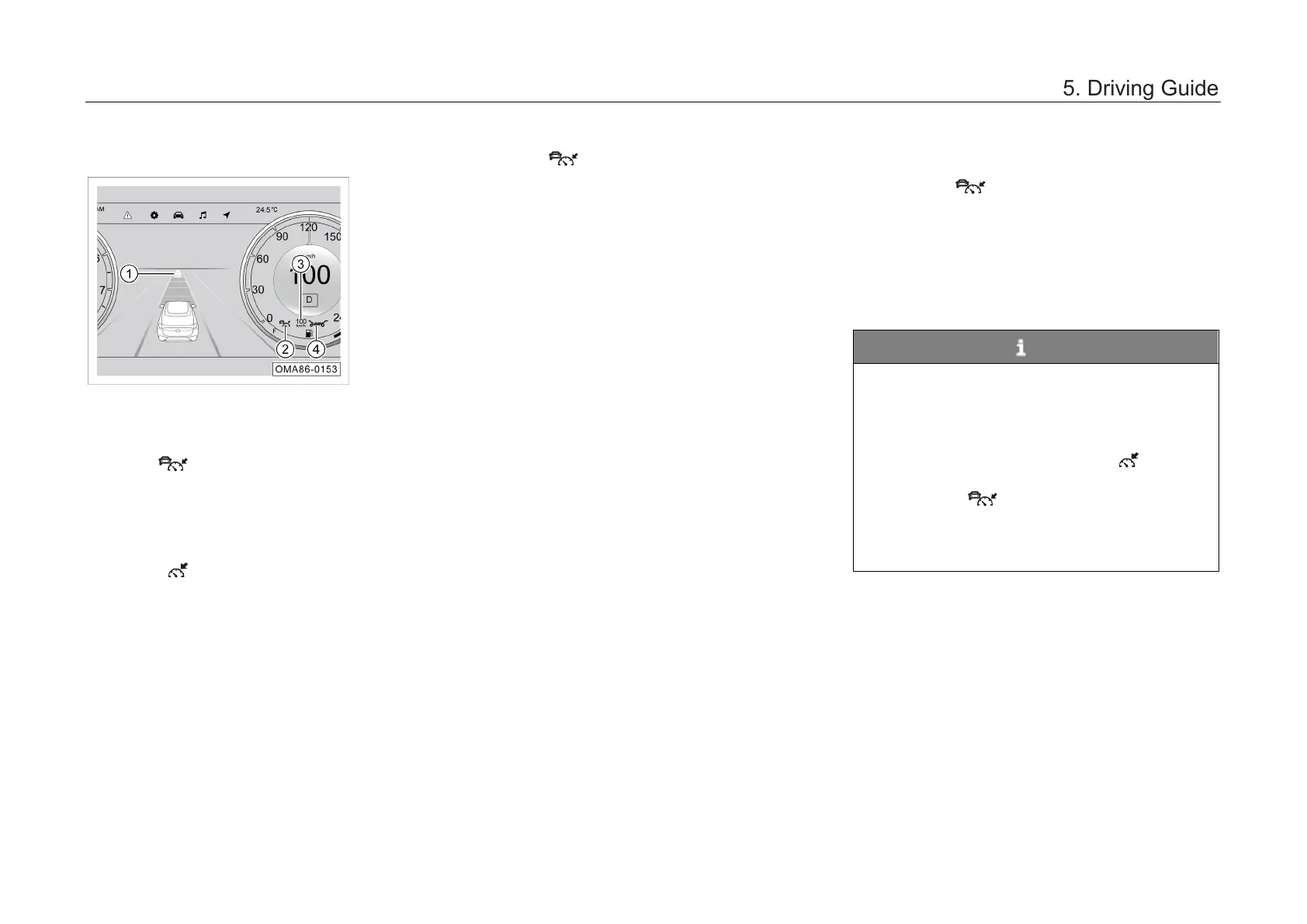
Interface description
① indicates the detected vehicle in front.
② ACC indicator lamp:
– If the
indicator lamp comes on in white, it
indicates that ACC is in the ready state and a
target vehicle is in front; if the indicator lamp
comes on in green, it indicates that ACC is
working and a target vehicle is in front.
– If the indicator lamp comes on in white, it
indicates that ACC is in the ready state and
no target vehicle is in front; if the indicator
lamp comes on in green, it indicates that ACC
is working and no target vehicle is in front.
– If the indicator lamp comes on in yellow,
it indicates that ACC is faulty. In that case, go
to the GAC Motor authorized shop for
inspection in time.
③ indicates the set cruising speed.
④
indicates the set cruising distance from the
vehicle in front.
When the braking capacity of ACC is not enough
to maintain a proper distance between the car and
the vehicle in front, ACC will send a "driver
takeover request", and the instrument cluster will
display an alarm message and emit a sound
simultaneously. In this case, the driver shall
depress the brake pedal to reduce the car speed
according to the system requirements.
ACC start
– If the
button is pressed, the
corresponding indicator lamp in the
instrument cluster will come on in white.
– If the SET/-
button is pressed, the
corresponding white indicator lamp in the
instrument cluster will turn green, and the car
will enter the ACC control status.
NOTE
• The minimum setable cruising speed is 30
km/h.
•
When the transmission is not in D gear,
ACC cannot be enabled.
• When ACC is activated, the indicator
lamp in the instrument cluster comes on
(when the indicator lamp comes on, it
indicates that a vehicle is in front), and
meanwhile the instrument cluster shows
the stored ACC speed and status.



 To Next Page