Installation
8 · G&D DVIVision
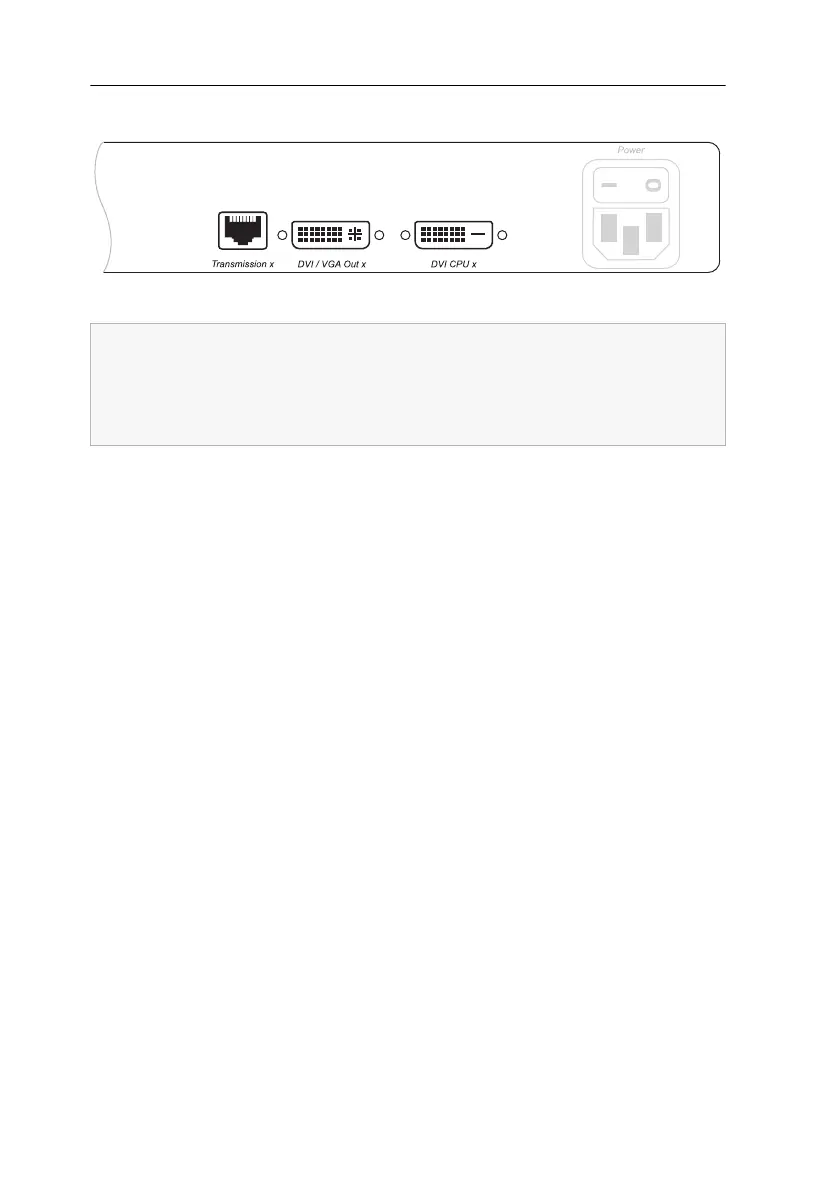
Additional interfaces of the multi-channel variants
Transmission x: Connect the category 5e (or better) twisted pair cable, which is avail-
able as accessories, to this interface. Connect the other end of the cable to the respec-
tive interface of the workstation module.
DVI/VGA Out x: Connect the monitor of the local console to this interface.
If the monitor only provides an analog VGA input, connect the DVI-I-HD15F adapter
to this interface. Afterwards, connect the monitor’s VGA cable to the adapter.
DVI CPU x: Connect the digital video output of the computer to this interface. For
this purpose use the DVI-D-SL-M/M-2 cable.
Figure 4: Additional interfaces of the multi-channel variant at the computer module
For each added video channel, the multi-channel variants of the computer module
are additionally provided with the interfaces Transmission, DVI/VGA
Out and
DVI
CPU.
The interfaces of each channel are located next to each other. The descriptions of
the interfaces are provided with the number of the channels.



 To Next Page