GNS 430 Pilot’s Guide and Reference
8-12
SECTION 8
NRST PAGES
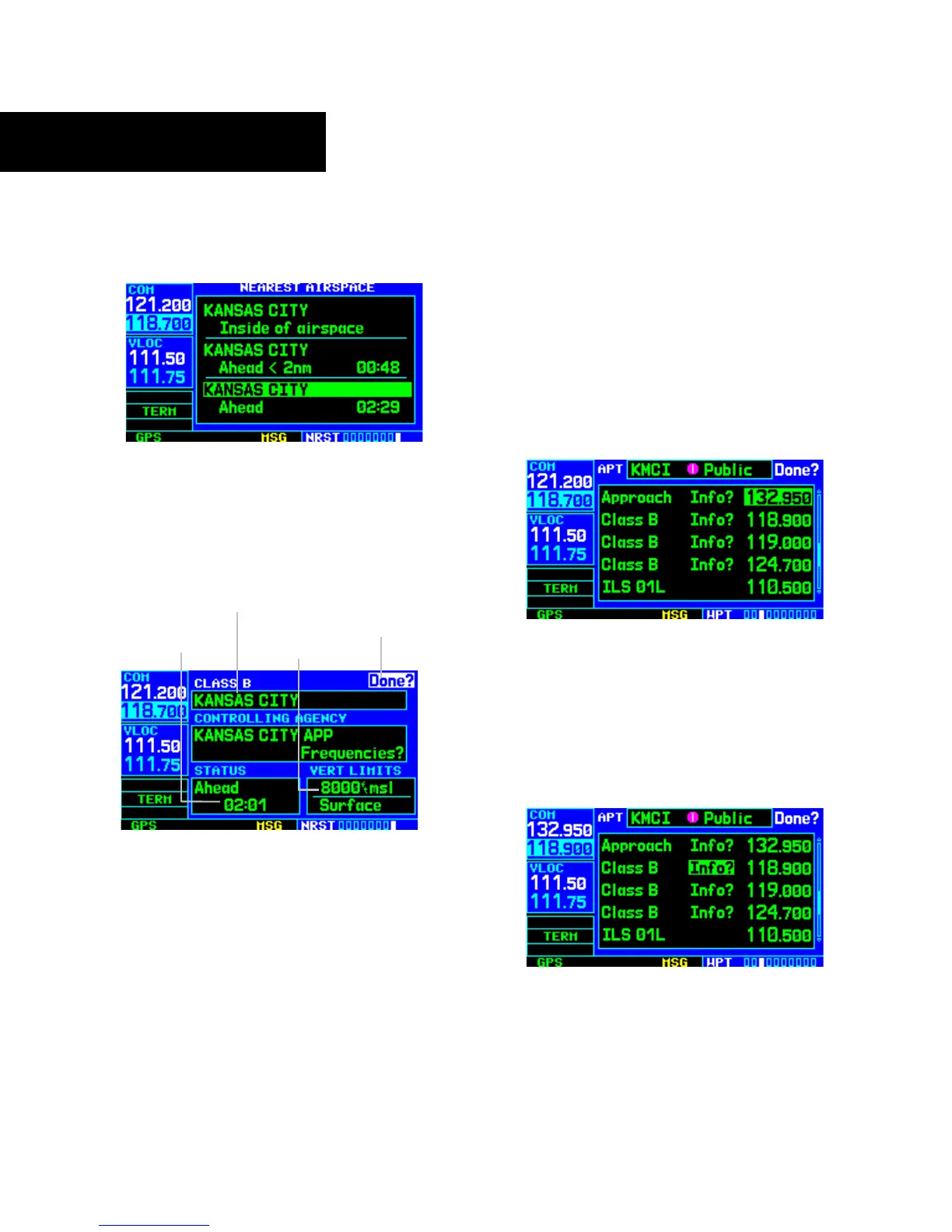
3) Turn the large right knob to scroll through the
list, highlighting the desired airspace (Figure
8-30).
Figure 8-30 Airspace Highlighted
4) Press the ENT Key to display the Airspace
Page for the selected nearby airspace (Figure
8-31).
Figure 8-31 Airspace Page
Status and Time
to Entry
‘Done?’ Field
(Return to
Previous Page)
Airspace Name
and Type
Floor/Ceiling
Limits
5) To return to the Nearest Airspace Page, verify
that ‘Done?’ is highlighted by the flashing
cursor and press the ENT Key.
6) Press the small right knob to remove the
flashing cursor.
To view and quickly tune the frequency for
a controlling agency:
1) Follow steps 1 through 4 on the preceding page
to display the Airspace Page (Figure 8-31) for
the desired controlled or special use airspace.
2) Turn the large right knob to highlight
‘Frequencies?’ and press the ENT Key.
3) T
urn the large right knob to scroll through the
list, highlighting the desired frequency (Figure
8-32).
Figure 8-32 Frequency Highlighted
4) Press the ENT Key to place the selected
frequency in the standby field of the COM
Window.
5) Press the COM Flip-flop Key to activate the
selected frequency (Figure 8-33).
Figure 8-33 Frequency Moved to Active Field





 To Next Page