GNS 430 Pilot’s Guide and Reference
8-13
SECTION 8
NRST PAGES
6) To return to the Airspace Page, turn the large
right knob to highlight ‘Done?’ and press the
ENT Key (or press the CLR Key).
7) To return to the Nearest Airspace Page, turn
the large right knob to highlight ‘Done?’ and
press the ENT Key (or press the CLR Key).
8) P
ress the small right knob to remove the
flashing cursor.
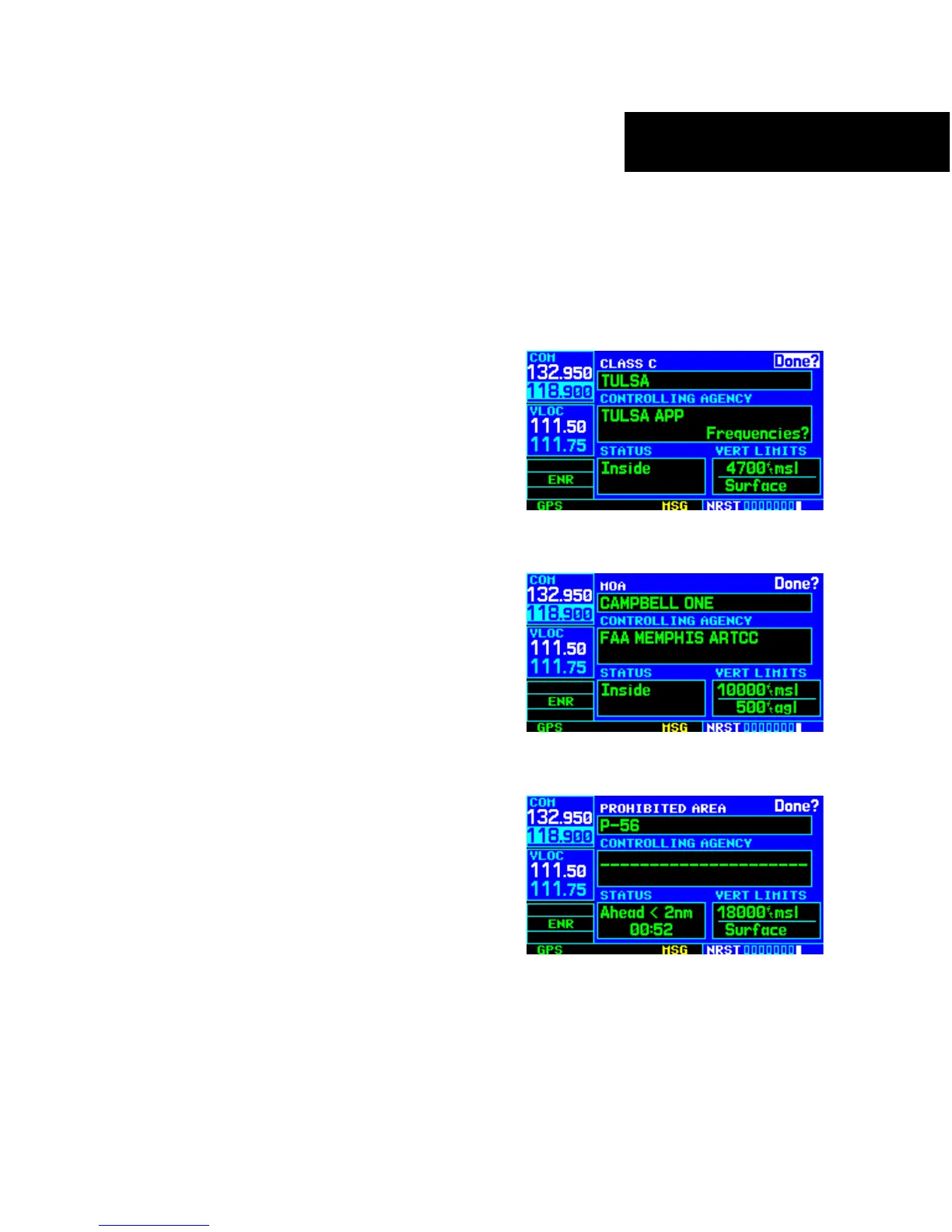
The Airspace Page displays (and airspace alert messages
are provided for) the following airspace types (Figures
8-34, 8-35, and 8-36):
• Alert • Caution
• Class B • Class C
• Class D • CTA
• Danger • MOA
• Prohibited • Restricted
• TMA • Training
• TRSA • Unspecified
• Warning
The bottom right-hand corner of the Airspace Page
displays the floor and ceiling limits of the airspace.
The following are examples of what may appear as
vertical limits for an airspace:
• 5000ft msl (5000 feet mean sea level)
• 5000ft agl (5000 feet above gr
ound level)
• MSL (at mean sea level)
• NOT
AM (Notice to Airmen)
• Unknown
• Unlimited
• See Chart • Surface
All airspace
alert messages, except for prohibited areas,
may
be turned on or off from the Airspace Alarms Page.
An altitude buffer is also provided on the Airspace Alarms
Page to provide an extra margin of safety above/below the
published limits (Section 10.4, Setup 1 Page: Airspace
Alarms for additional details).
Figure 8-34 Airspace Page for Class C Airspace
Figure 8-35 Airspace Page for MOA
Figure 8-36 Airspace Page for Prohibited Area





 To Next Page