GNS 430 Pilot’s Guide and Reference
4-3
SECTION 4
DIRECT-TO NAVIGATION
To select a direct-to destination from the
active flight plan:
1) Press the Direct-to Key. The Select Direct-to
Waypoint Page appears, with the waypoint
identifier field highlighted.
2) Turn the large right knob to highlight the flight
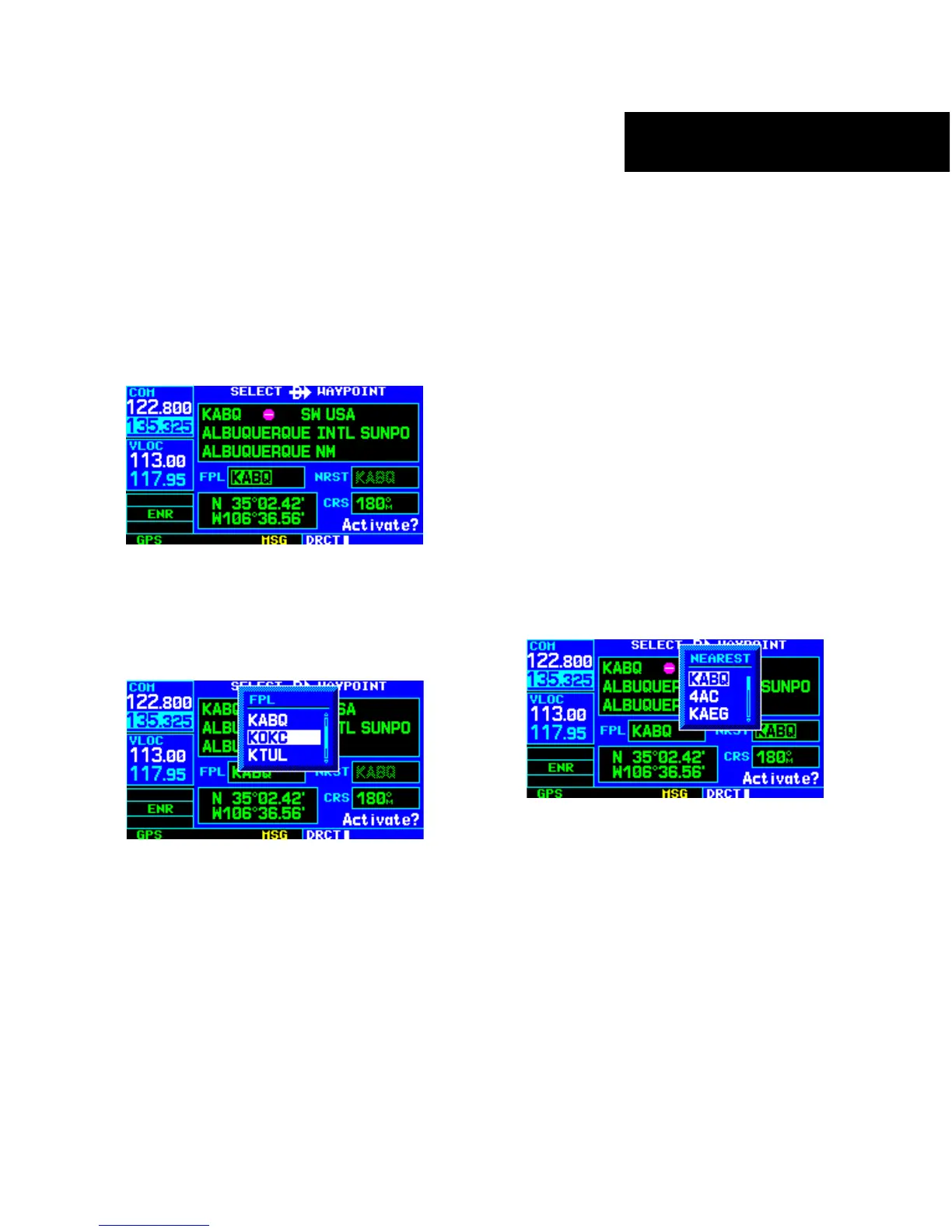
plan (FPL) field (Figure 4-6).
Figure 4-6 Highlighted Flight Plan Field
3) Turn the small right knob to display a window
showing all waypoints in the active flight plan
(Figure 4-7).
Figure 4-7 FPL (Flight Plan) Window
4) Continue turning the small right knob to
scroll through the list and highlight the desired
waypoint.
5) Press the ENT Key to confirm the selected
waypoint, and press the ENT Key again to
activate the direct-to function.
Selecting the Nearest Airport as a Direct-to
Destination
The Select Direct-to Waypoint Page always displays the
nearest airports (from the present position) in the NRST
field. Navigating directly to a nearby airport is always just
a few simple steps away. (Nearby airports may also be
selected as direct-to destinations using the steps described
in Section 8.1.)
To select a nearby airport as a direct-to
destination:
1) Press the Direct-to Key. The Select Direct-to
Waypoint Page appears, with the waypoint
identifier field highlighted.
2) Turn the large right knob to highlight the
nearest airport (NRST) field.
3) Turn the small right knob to display a window
showing up to nine nearby airports (Figure 4-8).
Figure 4-8 Nearest Window
4) Continue turning the small right knob to
scroll through the list and highlight the desired
airport.
5) Press the ENT Key to confirm the selected
airport, and press the ENT Key again to activate
the direct-to function.





 To Next Page