GNS 430 Pilot’s Guide and Reference
SECTION 6
PROCEDURES
6-4
DO NOT USE FOR
NAVIGATION
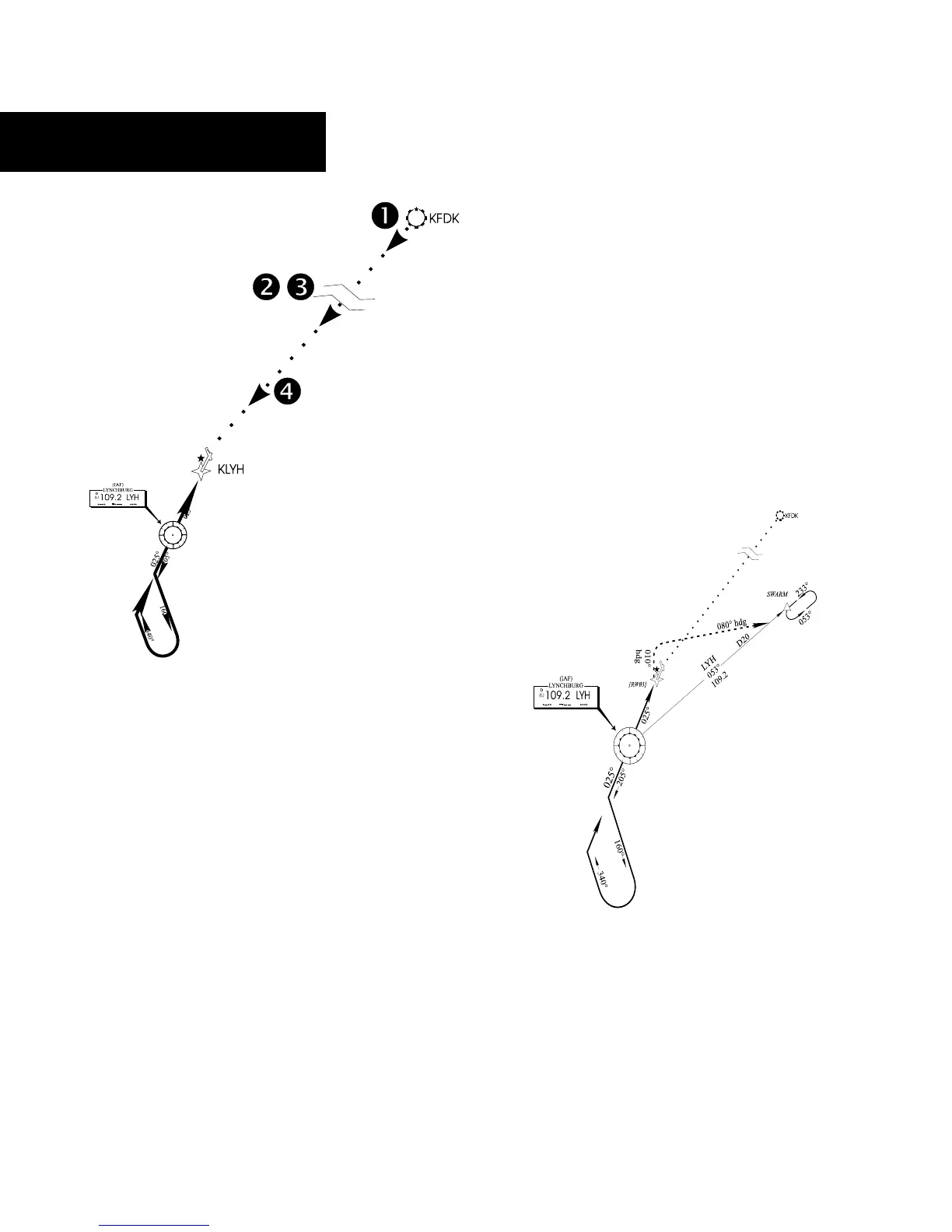
Figure 6-7 Sample Approach
Select Destination
‘Select’ and ‘Load’ the ap-
proach
‘Activate’ the ap-
proach
Approach operations on the GNS 430 typically begin
with the same basic steps (refer to Figure 6-7 for the
following steps):
1) Select the destination airport using the Direct-
to Key, or as the last waypoint in the active
flight plan.
2) Choose the ‘Select Approach?’ option from
the Procedures P
age (Section 6.1) or from the
Active Flight Plan Page Menu (Section 5.2,
Active Flight Plan Options).
3) ‘Load’ the approach (often while enroute) in
anticipation of its future use. This places the
approach in the active flight plan, but retains
course guidance in the enroute section until
the approach is ‘activated’.
4) ‘Activate’ the full approach or vectors-to-final,
as appropriate. In some scenarios, it may be
more convenient to immediately activate the
approach and skip the ‘Load’ process outlined
in the preceding step 3. The GNS 430 provides
both options.
Approaches with Procedure Turns
The procedure turn portion of an approach is stored
as one of the legs of the approach. For this reason, the
GNS 430 requires no special operations from the pilot
(other than flying the procedure turn itself) beyond what
is required for any other type of approach.
DO NOT USE FOR
NAVIGATION
Lynchburg (VA) Regional
VOR or GPS Rwy 03
Figure 6-8 Sample Approach with Procedure Turn
This example uses the VOR Runway 03 approach for
Lynchburg (Virginia) Regional Airport, KLYH, and assumes
a departure from Frederick (Maryland) Municipal Airport,
KFDK.





 To Next Page