90 GPSMAP 60CSx Owner’s Manual
MAIN MENU >
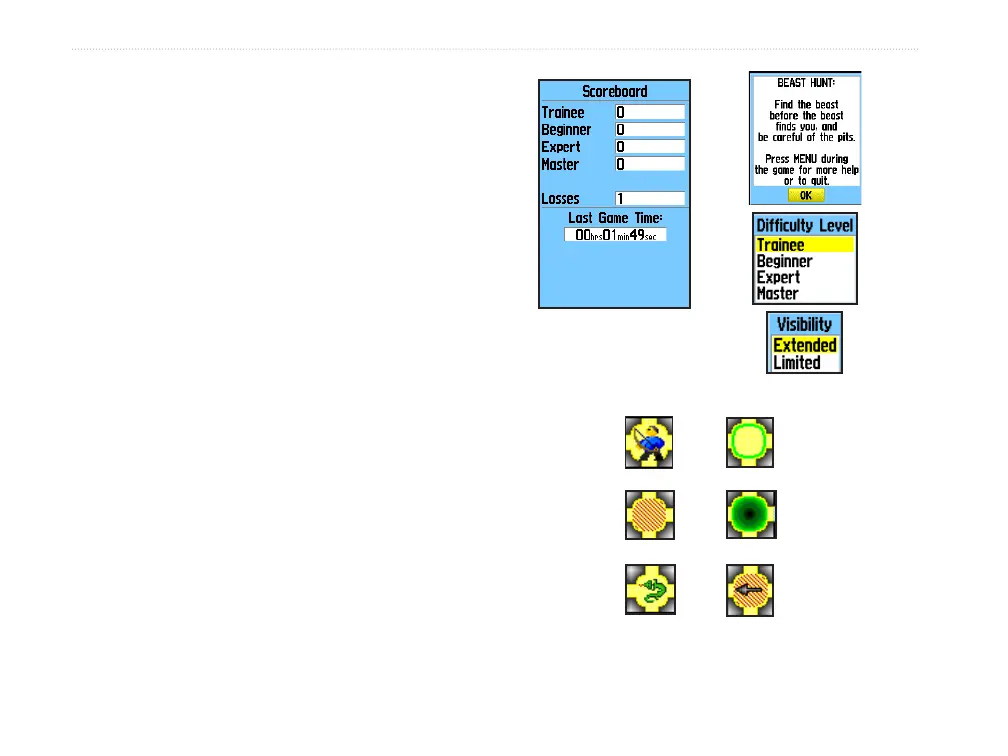
To play Beast Hunt:
1. Select Beast Hunt from the Games Menu,
and press ENTER. The Game Overview Page
appears.
2. Press ENTER to open the Difficulty Level
Menu. Select a difficulty level (Trainee,
Beginner, Expert, or Master), and press
ENTER to open the Visibility Menu.
3. Select a visibility option (Extended or
Limited), and press ENTER to begin play.
4. Use the ROCKER to jump from platform to
platform.
When you land on a shaded platform, you are
one or two steps from the dragon. A platform
with a circle is next to a pit. If you fall into a pit,
jump into the dragon, or shoot an arrow that
misses the dragon, you lose.
5. To defeat the dragon, press ENTER to place
an arrow in a shaded platform. Use the
ROCKER to point, and press ENTER to shoot.
Player
Pit Warning
PitDragon Near
Game Symbols















 To Next Page