30 GPSMAP 60CSx Owner’s Manual
BASIC OPERATION >
Track Profiles
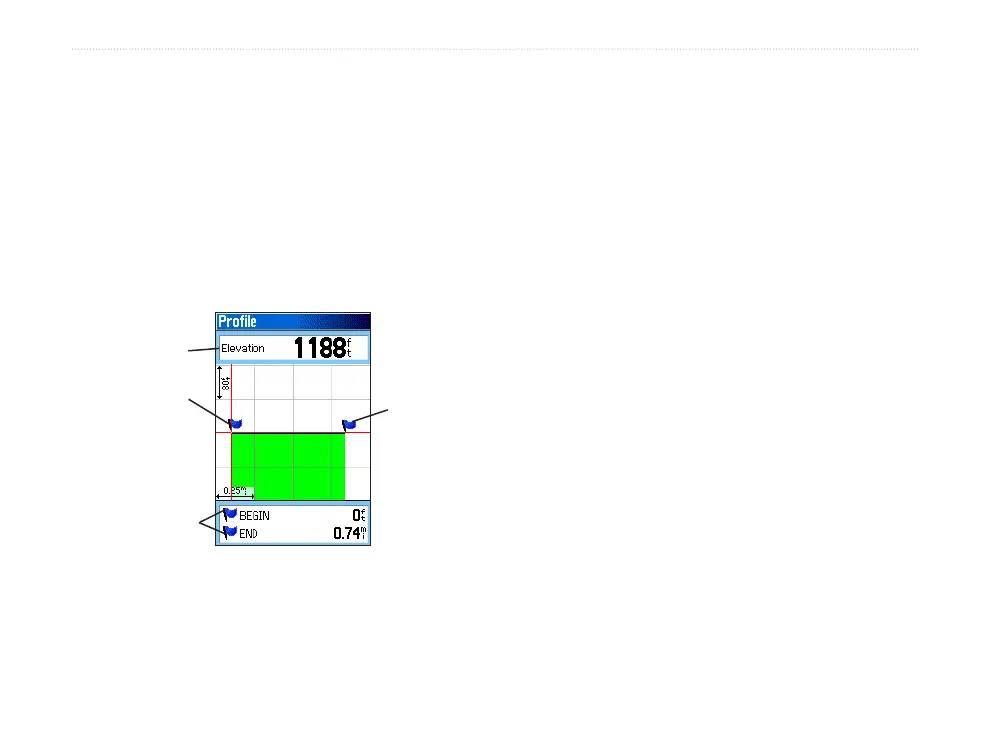
After you save a track, you have a record of the path
you traveled and a track altitude profile.
To view a track profile:
1. Open the Saved Track Page, and press
MENU.
2. Highlight Profile, and press ENTER to view
the Track Profile.
Begin
marker
End
marker
Track Profile Page
Elevation
Distance
from Begin
and End
points
The beginning of the track is marked by a
flag. You can scroll across the track profile by
pressing left or right on the ROCKER.
As you scroll across the profile, the elevation
for each point on the profile is shown at the
top of the page, and the distance from the
Begin point and the End point are shown at the
bottom.
3. At any point along the profile, you can press
ENTER to show that point on the map.
4. Press MENU to use Zoom Ranges and Hide
Symbols options.
You can create a Track Elevation Profile from Digital
Elevation Models (DEM) maps (MapSource U.S. Topo
24K), which include elevation data contained in the
map. When these types of maps are available, a Use
Map Data - Use Track Data option menu appears
when you select Profile. Refer to the Garmin Web site,
www.garmin.com/cartography/onthetrail/, for more
information about MapSource U.S. Topo 24K maps.















 To Next Page