GPSMAP 60CSx Owner’s Manual 13
BASIC OPERATION >
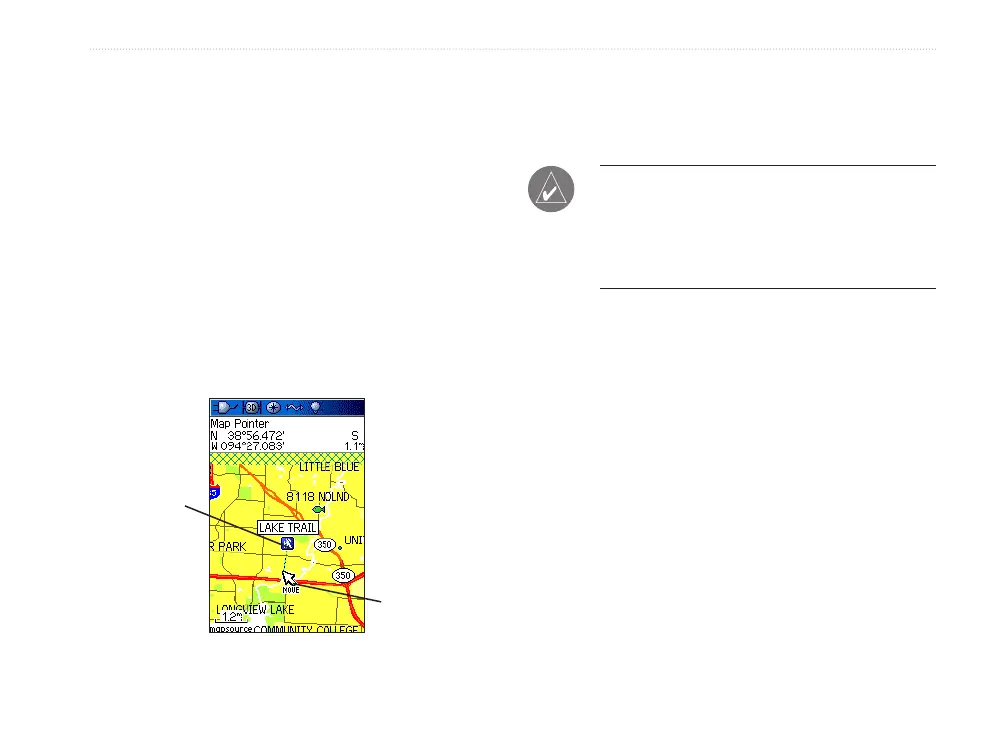
To move a waypoint on the Map Page:
1. On the Find Menu, Highlight the Waypoints
icon, and press ENTER to open the Waypoints
Page.
2. Select the waypoint you want to move, and
press ENTER. The Waypoint Page opens.
3. Highlight the Map button, and press ENTER to
show the waypoint on the map.
4. Press ENTER again to place a MOVE marker
next to the waypoint.
5. Use the ROCKER to move the waypoint to a
new location on the map, and press ENTER.
Original
location
New location
Moving a waypoint
Averaging the Waypoint’s Location
You can average a new waypoint location over time to
produce a more accurate location.
NOTE: You must have a GPS Satellite fix before
you can average a waypoint’s location. You
cannot average a waypoint after it has been
saved to the waypoints list and Mark Waypoint
page closed.
To calculate the average location:
1. Press FIND to open the Find Menu.
2. Highlight the Waypoints icon, and press
ENTER to open the Waypoints Page.
3. Select the waypoint for which you want to
calculate the average location, and press
ENTER.
4. Press MENU to open Options Menu
5. Highlight Average Location, and press
ENTER to open the Average Location Page.
The unit begins calculating the average
location of the waypoint.















 To Next Page