78 GPSMAP 60CSx Owner’s Manual
MAIN MENU >
Jumpmaster
Jumpmaster is an accessory designed for
experienced skydivers. A jumpmaster is the
individual in charge of a group of skydivers
coordinating a group or cargo drop. A list of
abbreviations and acronyms for Jumpmaster
settings can be found on page 81.
To access the Jumpmaster:
On the Setup Menu Page, highlight the
Jumpmaster icon, and press ENTER.
The Jumpmaster follows military guidelines for
calculating a jumpmaster’s high altitude release point
(HARP). This accessory can auto-detect when you
have jumped to begin navigating toward the desired
impact point (DIP) using the barometer and electronic
compass.
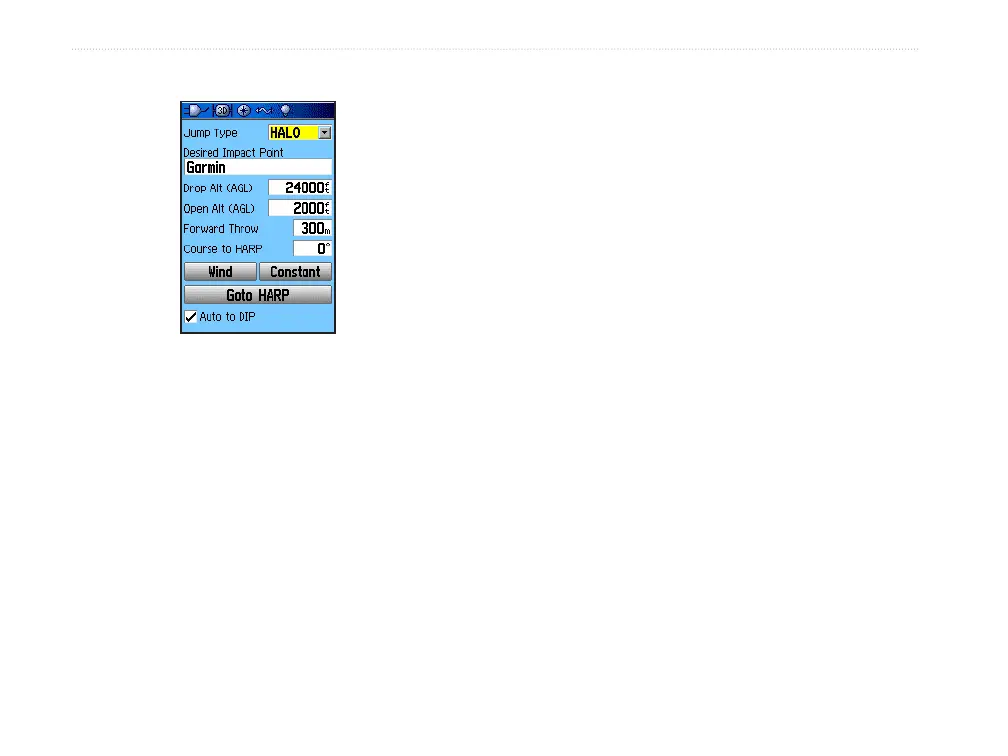
You can set the Jumpmaster to one of three types of
jumps: HAHO, HALO, or Static. The jump type
selected determines what additional setup information is
required. For all jump types, altitudes (drop or opening)
are measured in feet above ground level (AGL).
To set the type of jump:
1. Highlight the Jump Type field, and press
Enter to view the list of jump options.
2. Select the jump type, and press Enter. The
page changes to display options for the
selected jump type setup.
A desired impact point (DIP) must be set for all
jumps. This is a waypoint that you have previously
marked or another location from the Find Menu where
you want to land.
Jumpmaster Setup Page















 To Next Page