74 GPSMAP 60CSx Owner’s Manual
MAIN MENU >
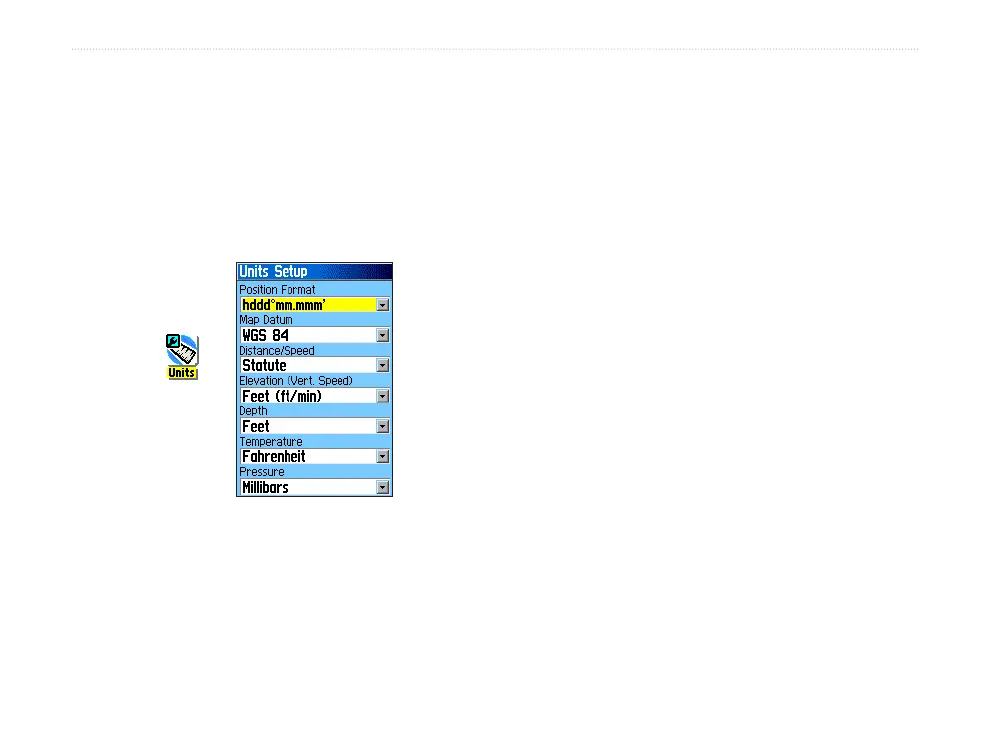
Units Setup
Use the Units Setup Page to customize measurement
units.
To access the Units Setup Page:
On the Setup Menu Page, highlight the Units
icon, and press ENTER.
Units
icon
• Position Format—sets the coordinate system
in which a particular location is shown. The
default format is latitude and longitude in
degrees, minutes, and thousandths of a minute
(hddd
o
mm.mmm).
• Map Datum
— sets the description for
geographic location for surveying, mapping,
and navigation and are not actual maps built
into the unit. The default setting is WGS 84.
The unit automatically chooses the best datum
based on your chosen format.
For more information about selecting Position
Formats and Map Datums, see page 99.
• Distance/Speed
—sets the unit of measurement
to show your speed and distance traveled.
• Elevation (Vert. Speed)
—sets the unit of
measurement (Feet (ft/min), Meters (m/min),
or Meters (m/sec)) to show your altitude.
• Depth
—sets the unit of measurement (Feet,
Fathoms, or Meters) to show the depth.
• Temperature
—sets the unit of measurement
(Fahrenheit or Celsius) to show temperature.
• Pressure
—sets the unit of measurement
(Inches, Millibars, or Hectopascals) to show
pressure.















 To Next Page