50 GPSMAP 60CSx Owner’s Manual
MAIN PAGES >
Heading Setup Page
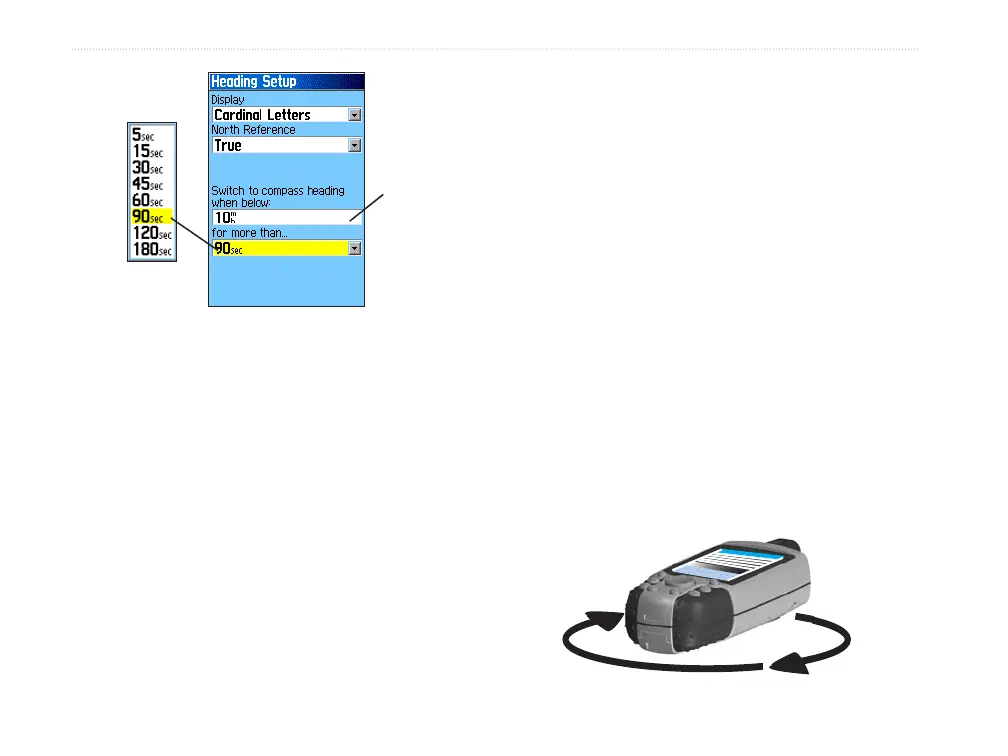
Speed
setting
Time delay
options
5. Use the numeric keypad to enter a speed.
6. Highlight the for more than field, and press
ENTER to set the time delay from the time
options list.
Calibrating the Electronic Compass
When you first use the GPSMAP 60CSx or after
you install new batteries, you have to calibrate the
electronic compass outdoors. The accuracy of the
electronic compass is adversely affected if the unit
is not held level or you are near objects that generate
magnetic fields, such as cars or buildings.
To calibrate the electronic compass:
1. Press MENU to open the Compass Page
Options menu
2. Highlight Calibrate Compass, and press
ENTER to open the Calibration Page.
3. With the Start button highlighted, press
ENTER, and follow on-screen directions for
holding and turning the unit.
A “Just Right,” “Too Fast,” or “Too Slow”
message appears notifying you to adjust your
turning speed, as needed. Hold the unit level
while turning.
A “Calibration Successful” message appears
when finished.
If a “Calibration Failed” message appears,
repeat the process.
4. Press ENTER to return to the Compass Page.
Hold the unit
level and turn
slowly.















 To Next Page