GPSMAP 60CSx Owner’s Manual 73
MAIN MENU >
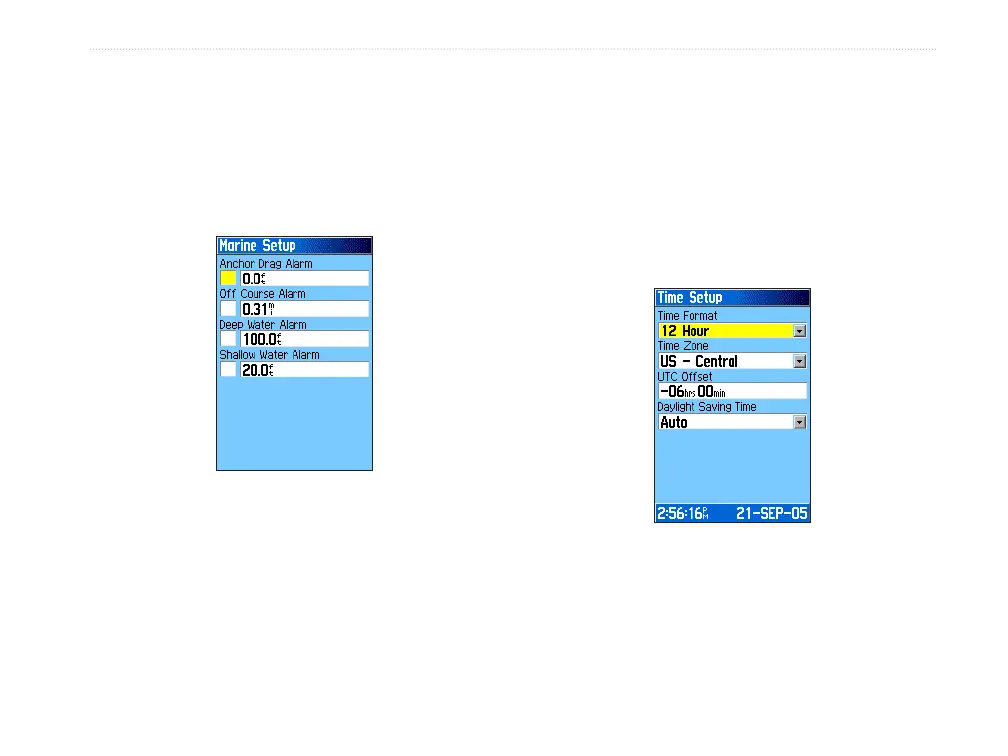
Marine Setup
Use the Marine Setup Page to define alarm settings.
To access the Marine Setup Page:
On the Setup Menu Page, highlight the Marine
icon, and press ENTER.
• Anchor Drag Alarm—sets an alarm to sound
when you exceed a specified drift distance.
• Off Course Alarm
—sets an alarm to sound
when you are off your chosen course.
• Deep Water Alarm/Shallow Water Alarm
—
sets an alarm to sound when you enter an area
of water that is too deep or too shallow.
Time Setup
Use the Time Setup Page to set the time format and
zone and to set the unit to conform to Daylight Saving
Time. The time and date appear at the base of the page
.
To access the Time Setup Page:
On the Setup Menu Page, highlight the Time
icon, and press ENTER.
• Time Format—sets 12 or 14 hour format.
• Time Zone
—sets the time zone for your city
so the GPSMAP 60CSx shows the correct local
time. Select Other to enter a Universal Time
Coordinate offset in the field below.















 To Next Page