24 GPSMAP 60CSx Owner’s Manual
BASIC OPERATION >
Finding an Intersection
If you downloaded detailed mapping data, use the
Intersections icon on the Find Menu to search for
an intersection. When you enter the two street names
and a city, and the Find feature matches them with
intersections in the map database.
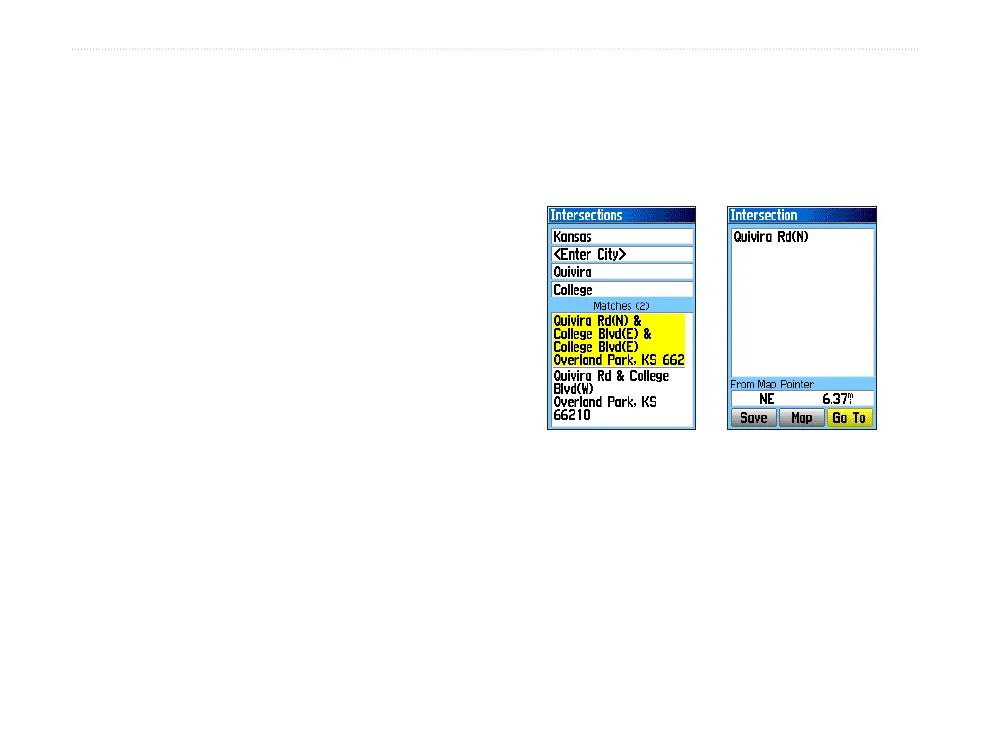
To find an intersection:
1. Press FIND to open the Find Menu.
2. Highlight the Intersections icon, and press
ENTER to open the Intersections Page.
3. If your unit has a GPS fix, the <Enter Region>
field is populated with your current region.
You do not have to specify a city in the <Enter
City>, because the database has information
for the entire region. However, you can select
a city if you want to reduce the possible
number of intersection matches.
4. Highlight the <Enter Street 1> field, and press
ENTER.
5. Type the street name using the on-screen
keypad. When finished, highlight OK, and
press ENTER again.
6. Repeat steps 4 and 5 to enter a street name
in the <Enter Street 2> field. When finished, a
list of matches appears below.
7. Select an intersection, and press ENTER to
open the information page.
Searching for a Point of Interest
If you downloaded MapSource detailed mapping,
you can use the All Points of Interest icon on the
Find Menu to locate a nearby restaurant, lodging,
landmark, public building, and so on.
Intersection
information page
List of matching
intersections















 To Next Page