GPSMAP 60CSx Owner’s Manual 39
MAIN PAGES >
Map Page
The GPSMAP 60CSx comes with a built-in basemap
that includes a database of cities, interstates, state
and county highways, exit information, and lake and
river outlines. The standard basemap can be enhanced
using MapSource or BlueChart data.
Two map operating modes, position mode and pan
mode, determine what cartography is shown on the
map display. Position mode pans the map to keep
your present location in the display area. The position
marker shows your travel on the Map Page. When
you press the ROCKER, the GPSMAP 60CSx enters
pan mode, which moves the map to keep the white
arrow (map pointer) within the display area.
When you are in panning mode, you can move the
map pointer about the page to highlight and identify
map items. If there is more than one map item under
the pointer, a list appears with the item highlighted on
the map, also highlighted on the list.
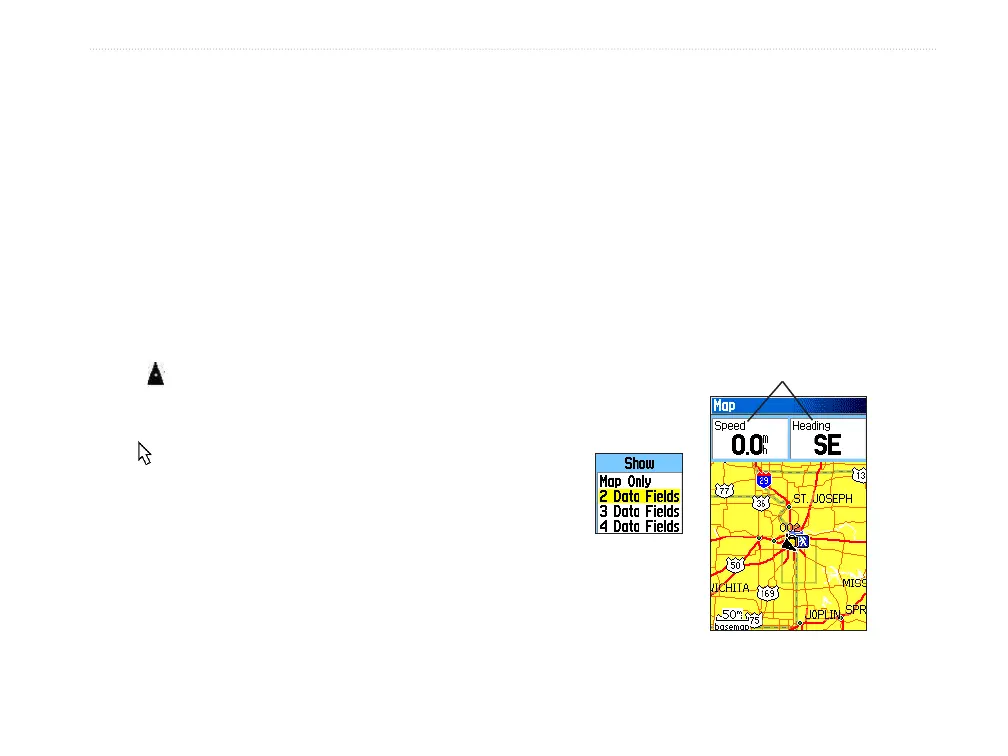
You can add and configure up to four optional data
fields to the top of the page to provide a variety of
travel and navigational information.
To show data fields on the Map Page:
1. Press MENU to open the Map Page Options
Menu.
2. Highlight Data Field, and press ENTER. The
Show sub-menu appears.
3. Select the number of data fields you want to
show on the Map Page, and press ENTER.
Data fields
Show sub-menu
Map Page with data fields















 To Next Page