GPSMAP 60CSx Owner’s Manual 77
MAIN MENU >
Allow the GPS Receiver to determine the
elevation: the GPS receiver estimates the
current elevation when determining its location.
The accuracy varies depending on the position
of satellites overhead. It won’t be as accurate as
an elevation entered from a known source, but is
sufficient for most navigation applications
.
2. When finished, a “Completed” or “Failed“
message displays.
Welcome Setup
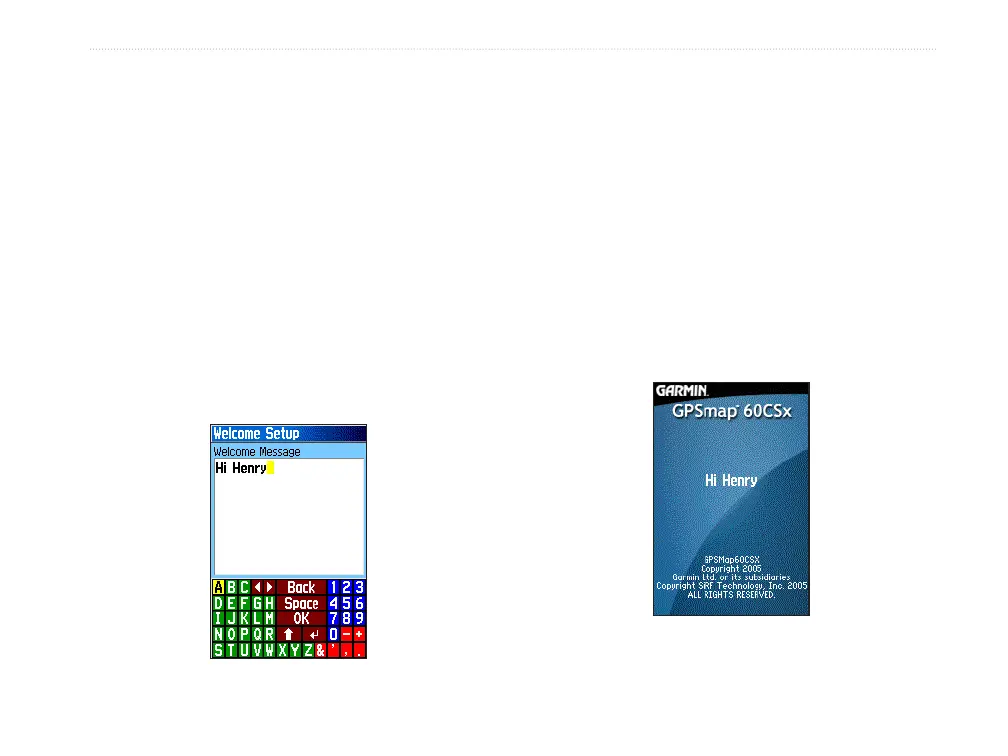
Use the Welcome Setup Page to insert a message,
such as ownership information, that appears when you
turn on your GPSMAP 60CSx.
To access the Welcome Setup Page:
On the Setup Menu Page, highlight the
Welcome Message icon, and press ENTER.
To add a welcome message:
1. Use the on-screen keypad and the ROCKER
to enter your welcome message, and press
ENTER.
2. When finished, highlight OK, and press
ENTER to close.
3. Turn you unit off and then on again to view
your Welcome message.
Welcome message
Welcome message















 To Next Page