GPSMAP 60CSx Owner’s Manual 67
MAIN MENU >
System Setup
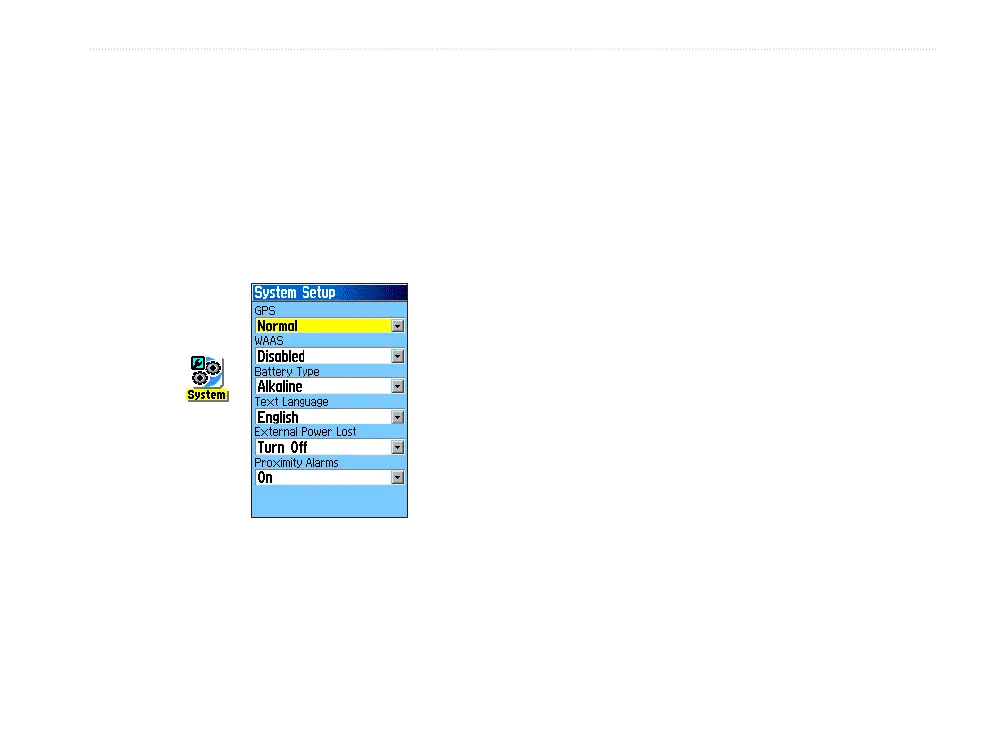
Use the System Setup Page to control settings for
GPS, WAAS, battery type, language, external power,
and proximity alarms.
To access the System Setup Page:
On the Setup Menu Page, highlight the
System icon, and press ENTER.
System
icon
• GPS—sets the unit to operate in Normal mode,
Battery Saver mode, GPS Off, or Demo
Mode.
• WAAS
—allows you to enable or disable
WAAS (see page 97 for WAAS information).
• Battery Type
—allows you to select the battery
type you are using (Alkaline or NiMH).
• Text Language—sets the unit’s on-screen
language.
• External Power Lost
—indicates whether the
unit remains on (Stay On) or turns off (Turn
Off) when external power is removed from the
unit.
• Proximity Alarms
—indicates whether custom
points of interest (POI’s) proximity alarms are
on or off.
System Setup Menu
The System Setup Menu contains Restore Defaults
and Software Version. Use Restore Defaults to
return the System Setup fields to their original values.
Software Version shows the software version and
unit identification number.















 To Next Page