54 GPSMAP 60CSx Owner’s Manual
MAIN PAGES >
0.25
mi
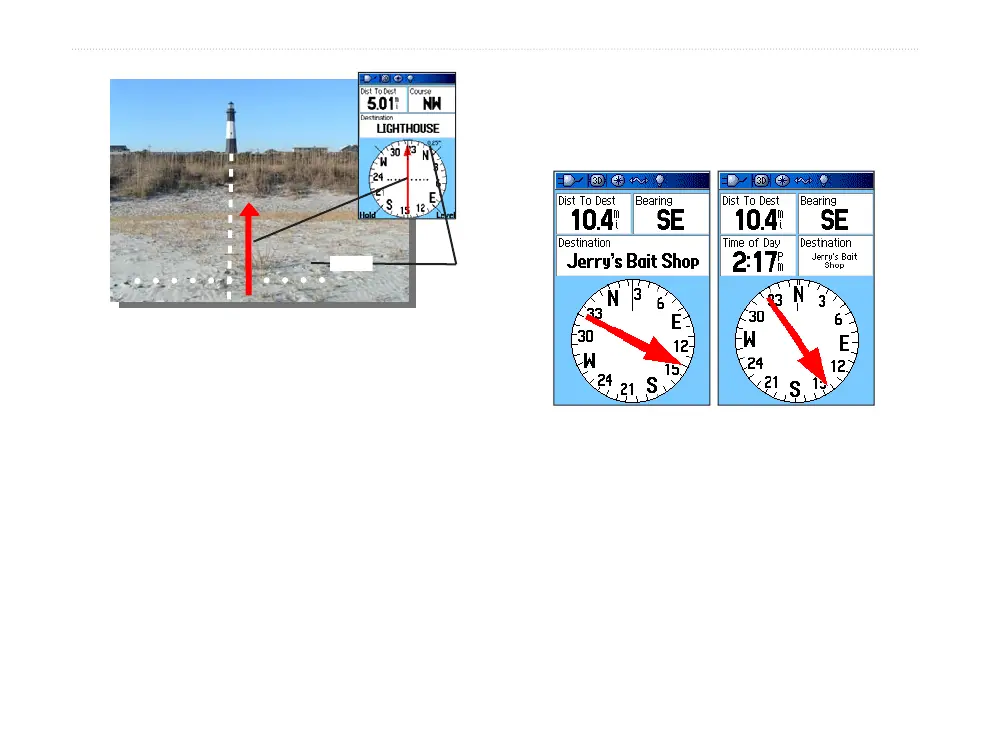
The Course Pointer indicates your course of travel from
your original location and the distance off course.
Scale
To select the course pointer or the bearing
pointer:
1. Press MENU to open the Compass Page
Options menu. The bearing pointer is the
factory set default option. When the bearing
pointer option is shown, the course pointer is
active and vice versa.
2. Highlight this option, and press ENTER.
Data Fields
You can show three or four data fields on the Compass
Page.
3 Data Fields 4 Data Fields
To show data fields on the Compass Page:
1. Press MENU to open the Compass Page
Options Menu.
2. Highlight Data Field, and press ENTER. The
Show sub-menu appears.
3. Select the number of data fields you want to
show on the Compass Page (three or four),
and press ENTER.















 To Next Page