GPSMAP 76 Owner’s Manual 9
bAsIc operAtIon > creAtInG A WAypoInt
Creating a Waypoint
The term Waypoint may be new to you, but is
frequently used when discussing navigation. A
Waypoint is a position stored in the unit’s memory
used for direct navigation or to build a Route.
The unit has to be turned on and receiving at least
three satellites (or simulating navigation) to mark
a waypoint. There are three methods for creating
waypoints in the GPSMAP 76. You can press the
ENTER/MARK key while at a location, create a
waypoint on the Map page, or enter coordinates for
a waypoint manually.
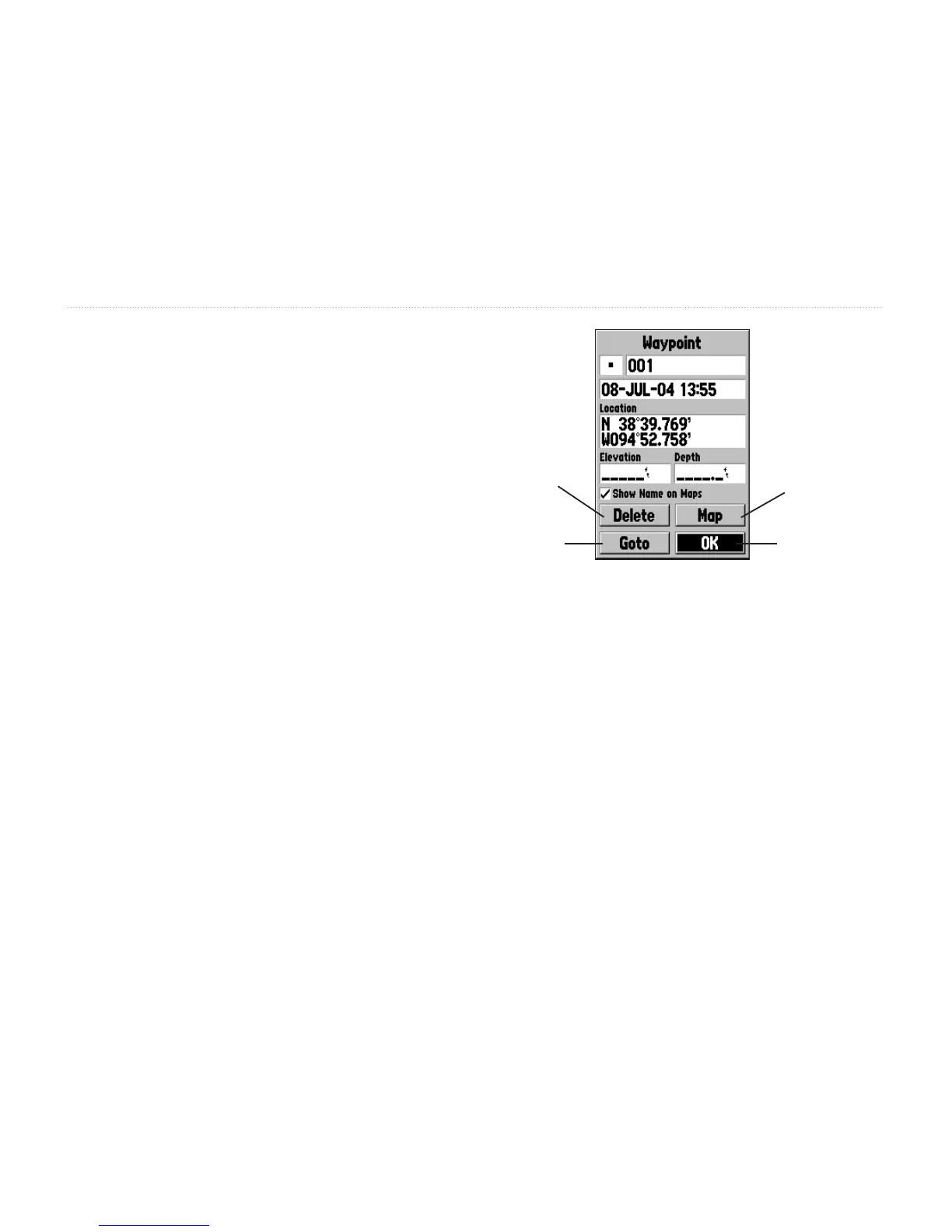
Creating a waypoint using the ENTER/MARK
key—Press and hold ENTER/MARK key until
the Mark Waypoint page is displayed. At this point,
you can edit the waypoint name, symbol, date/time,
elevation, and depth. Highlight the OK button and
press ENTER to save the waypoint.
Delete
Waypoint
Goto
Waypoint
Show Waypoint
on Map
Conrm Changes
and Exit Page
Creating a waypoint on the Map Page—Using the
ROCKER key, move the Map Pointer to the desired
location on the Map page and press ENTER. If the
Map Pointer is not on a map feature or road, the New
Waypoint page is displayed. You can edit the waypoint
name, symbol, date/time, elevation, and depth.
See page 11 for information on editing waypoints.
Highlight the OK button and press ENTER to save
the waypoint.














 To Next Page