GPSMAP 76 Owner’s Manual 51
MAIn Menu > MApsource And systeM Info
Hunt and Fish
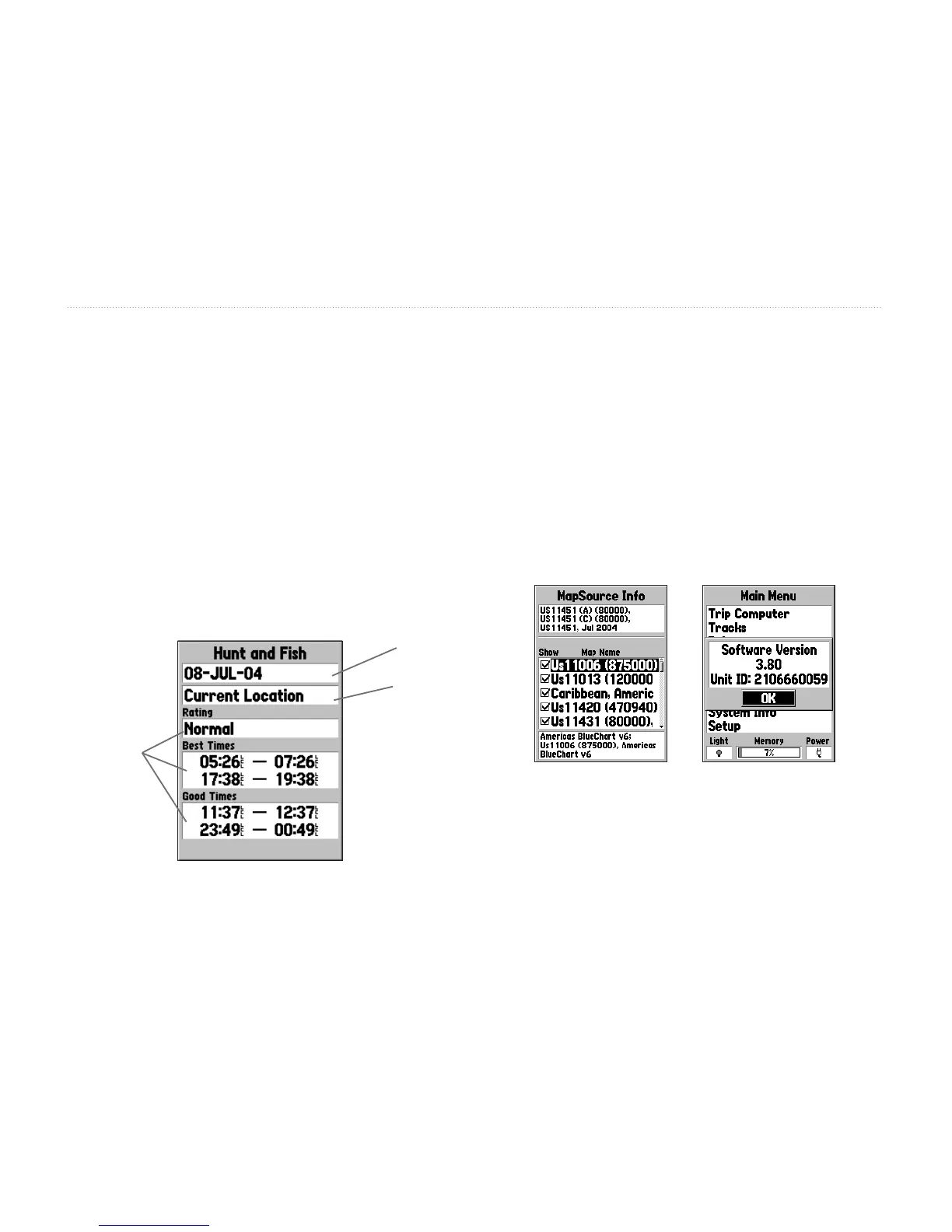
Hunt and Fish displays data for Good and Best times
for hunting and shing at the selected location. There
is also a Rating (excellent, good, normal, poor)
displayed, that reects the productivity of the day. You
may display this information for your current location
or you can use the Map or Points Menu to select a
location.
To display the location options, press ENTER with
Location eld highlighted. You can also use the current
date and time or enter a date and time of your choice.
Location
Data
Fields
Date
MapSource and System Info
The MapSource Info page displays a list of the
MapSource data stored in the unit and description of
the highlighted list item. You can choose to Show the
data on the map, by placing a check mark in the Show
Box. To select/deselect a box, highlight the MapSource
item then and press ENTER.
The System Info page shows your software version
number and the unit ID number.














 To Next Page