50 GPSMAP 76 Owner’s Manual
MAIn Menu > celestIAl
zero value or below. The top and bottom numbers
to the left of the chart, LCL and STA indicate the
maximum/minimum levels, respectively. The four data
elds below the chart, indicate event times and levels
at which the tide changes starting in the upper left
eld, going downward, then to the upper right and
down again.
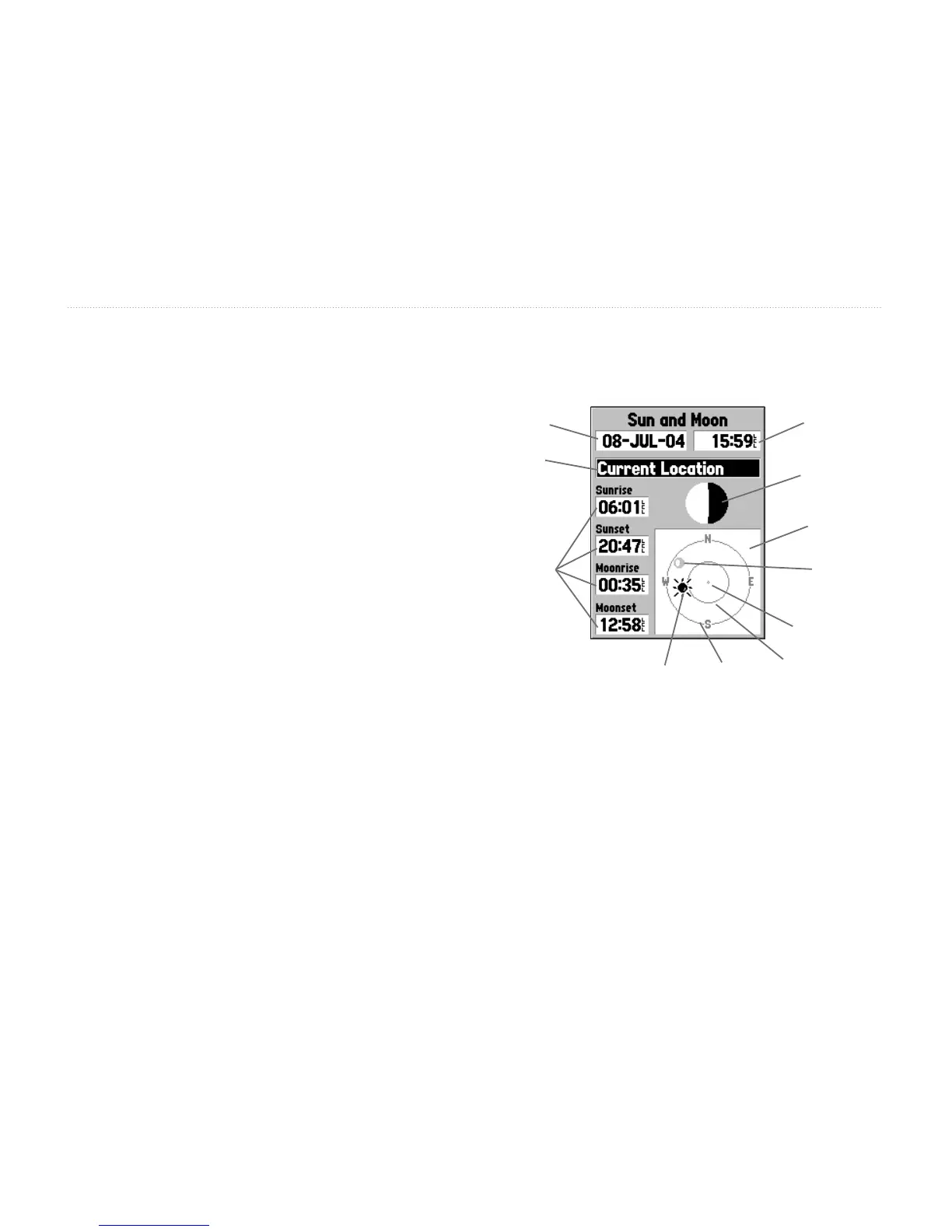
Sun and Moon
Sun and Moon displays data for Sunrise/Sunset,
Moonrise/Moonset, and the approximate location of the
Sun and Moon on a sky view. The moon phase displays
the current visible portion of the moon in a light color.
This information is displayed for your current location
or a new location can be selected from the Map or
Points Menu. To display the location options and
highlight the Location eld press ENTER. The unit
defaults to the current date and time, or enter a date and
time of your choice.
Data
Fields
Date
Location
Time
Moon
Phase
Sky
View
Moon
Position
Sun
Position
Horizon
(0°)
45°
Overhead
(90°)














 To Next Page