GPSMAP 76 Owner’s Manual 39
MAIn Menu > trIp coMputer
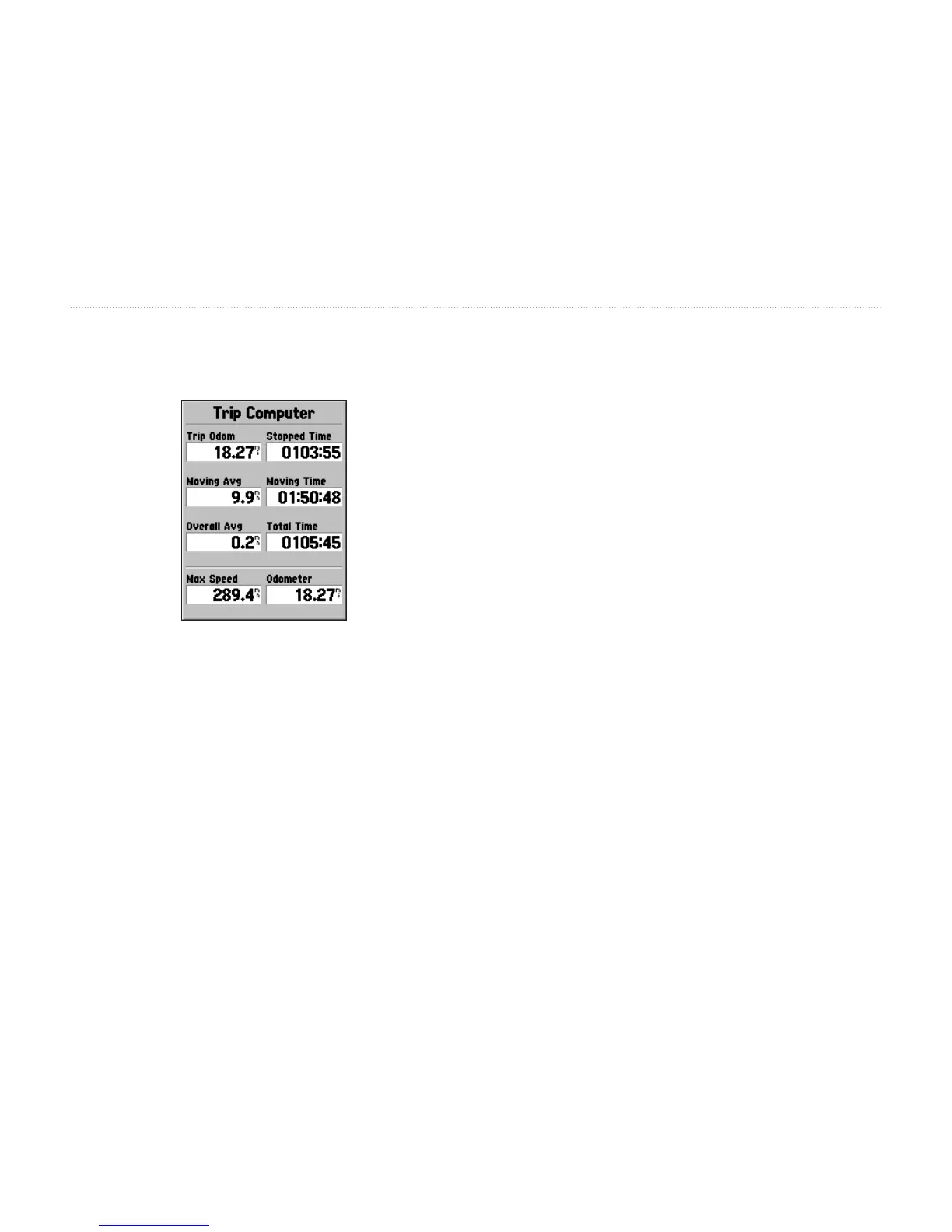
Trip Computer
The Trip Computer has eight selectable data elds.
Trip Odom—displays the total distance traveled since
the Trip Computer was last reset.
Stopped Time—displays the total time that the unit
was not moving since the Trip Computer was last reset.
Moving Avg (Speed)—displays an average based
on the time the unit was in motion since the Trip
Computer was last reset.
Moving Time—displays the total time the unit was in
motion since the Trip Computer was last reset.
Overall Avg (Speed)—displays the average speed of
the unit since the Trip Computer was last reset.
Total Time—displays the Total Time that the unit has
been turned on since the Trip Computer was last reset.
Max Speed—displays the maximum speed the unit
traveled since the Trip Computer was last reset.
Odometer—displays the total distance traveled since it
was last reset.
Trip Computer Options
To access the Trip Computer Options, select the Trip
Computer page and press the MENU key. To select an
option, highlight the desired item and press ENTER.
Reset Trip—resets all data elds except max speed
and odometer to zero.
Reset Max Speed—resets the Max Speed to zero.
Reset Odometer—resets the Odometer to zero.














 To Next Page