GPSMAP 76 Owner’s Manual 25
MAIn pAGes > MAp pAGe
Map Page
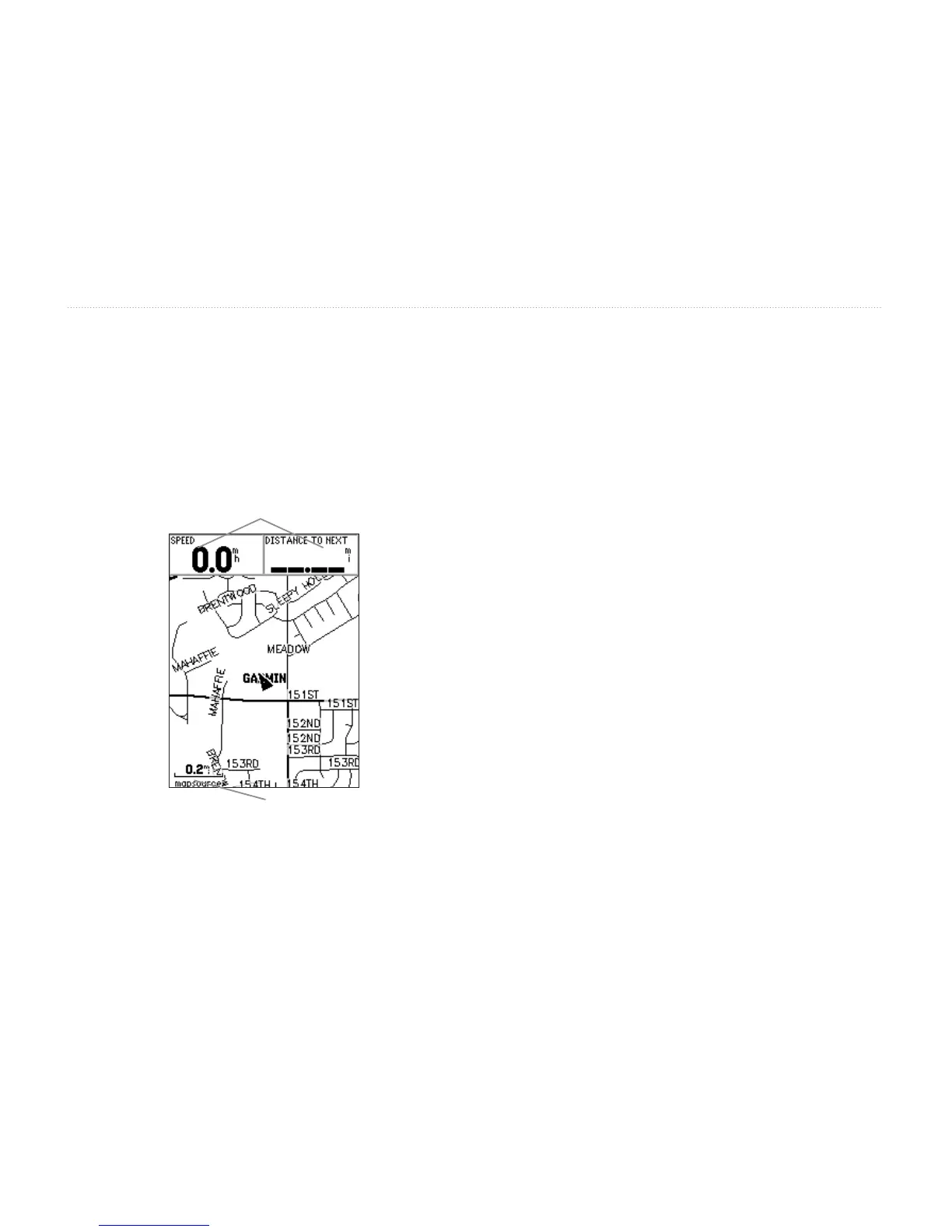
The GPSMAP 76 comes with a built-in basemap that
includes a database of Cities, Interstates, State and
County Highways, Exit information, Lake and River
outlines, and Railway Lines. The standard basemap can
be enhanced using Garmin’s MapSource products.
Zoom Scale
User Selectable Data elds
Using Additional Map Data
Optional MapSource CD-ROMs enhance the versatility
of your GPSMAP 76. With MapSource CD-ROMs,
you can view listings of nearby restaurants, lodging,
shopping centers, attractions and entertainment, and
even retrieve addresses and phone numbers for any
listed location. With optional BlueChart data, you can
access information such as marine navaids, wrecks,
obstructions, and anchorage locations.
Changing the Zoom Range
You can change the Zoom Range on the Map page
allowing you to either view a smaller area in greater
detail or a larger area with less detail. Pressing the IN
key decreases the Zoom Range displaying a smaller
area with greater detail. Conversely, pressing the OUT
key increases the Zoom Range displaying a larger area
with less detail. The current Zoom Range setting is
displayed in the lower left corner of the Map page. If
Overzoom is displayed under the range, no further map
information is available. MapSource displayed under
the range indicates MapSource information is loaded
onto the unit.














 To Next Page