22 GPSMAP 76 Owner’s Manual
MAIn pAGes > overvIeW
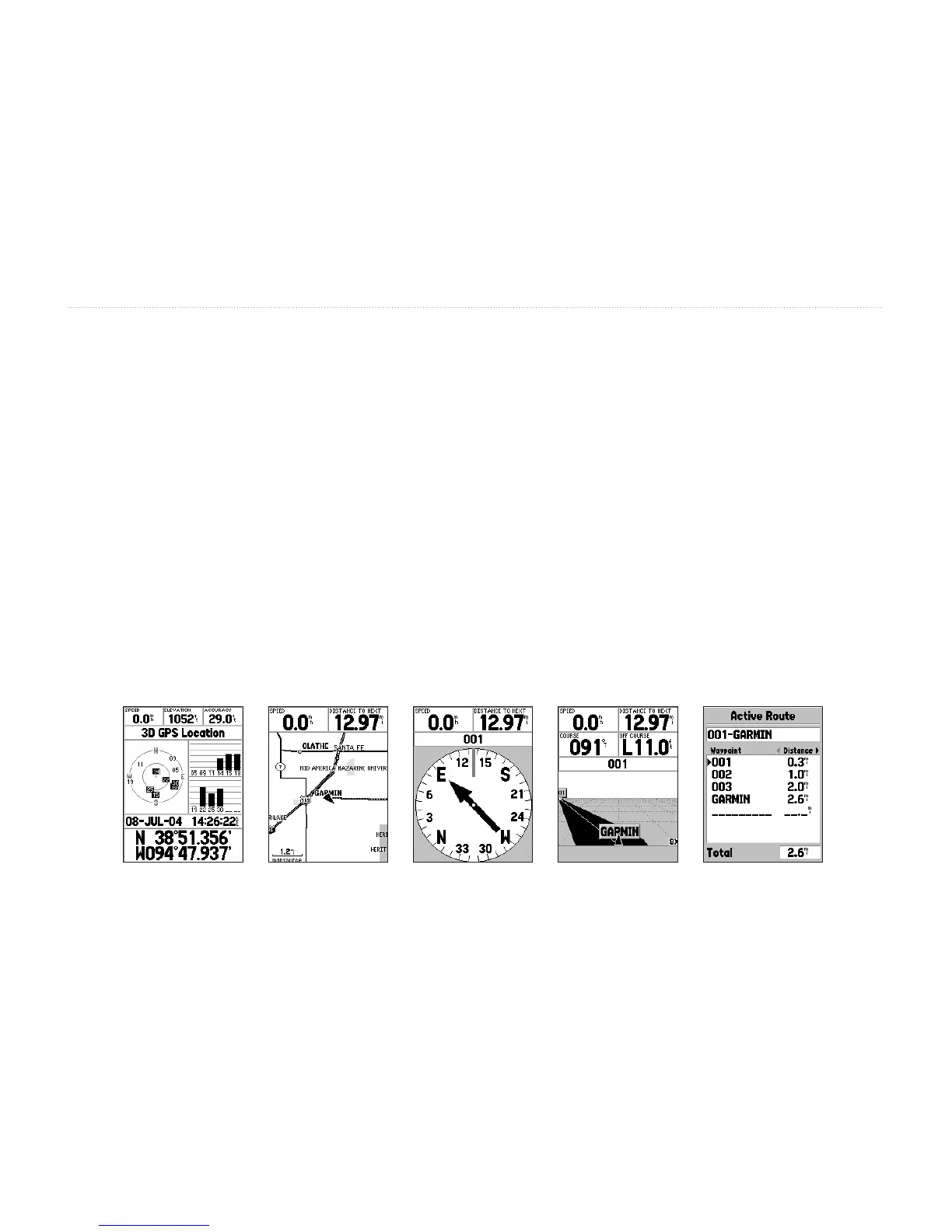
GPS Information Page
Map Page Pointer Page Highway Page Active Route Page
MaIn paGeS
There are ve main display pages: the GPS Information page, Map page, Pointer page, Highway page, and the
Active Route page. You can cycle through these pages by pressing either the PAGE or QUIT keys.
With the GPS Information page displayed, press PAGE several times. Notice that each time you press PAGE the
next main page is displayed. Do the same with the QUIT key. Notice QUIT acts the same as PAGE, except the
pages are displayed in a reverse sequence. Press PAGE until the Map page is displayed.
Each main page has an Options Menu. This Options Menu contains the setup options and functions that apply to
that page. Press the MENU key to display the Options Menu. Use the ROCKER key to select and item from the
options menu and press ENTER. Many of the menus in the GPSMAP 76 are arranged in a tab layout. Use the Left/
Right ROCKER key to move from tab to tab.
Notice that either the PAGE or QUIT keys stops the current function and returns you to the main page. If you nd
yourself lost in a menu or you accidentaly start a function you do not want, just press the PAGE or QUIT key.














 To Next Page