12 GPSMAP 76 Owner’s Manual
bAsIc operAtIon > creAtInG A WAypoInt
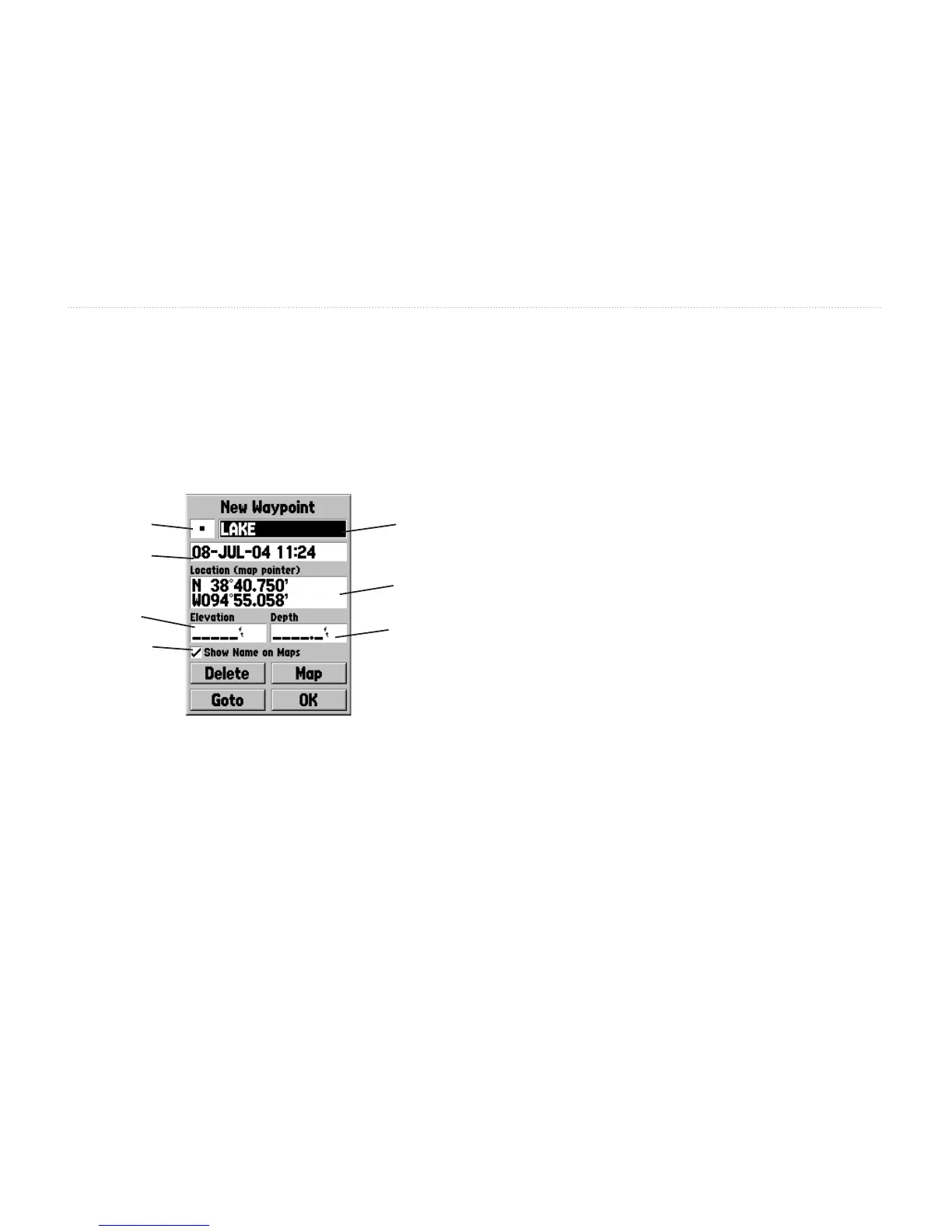
Changing the Name—Highlight the name eld
and press ENTER. Use the ROCKER key to scroll
through the alpha-numeric list and make a selection.
Press the ROCKER to the right to move the next
placeholder. When nished, press ENTER to accept
the changes.
Symbol
Name
Location
Depth
Date
Elevation
Show
Name
Changing the Location, Date/Time, Elevation, or
Depth—Highlight the desired eld and press ENTER.
Use the ROCKER key to scroll through the numeric
list until the desired number is displayed. Press
the ROCKER key to the right to move to the next
character. When nished, press ENTER to accept
the changes.
Show Name on Maps—Activating this option displays
the waypoint name on the Map page. Highlight the box
and press ENTER to check/uncheck the box.
These are the same steps that you use to ENTER
names and change numbers and select options in all of
the elds in the GPSMAP 76.
• If you press and hold the
ROCKER key while
scrolling through the alpha-numeric list, it
increases scrolling speed.
• You can scroll through the alpha-numeric list in
either direction.
• Do not press the
ENTER key until you have
nished entering the data. Remember, use the
ROCKER key to move to the next placeholder.














 To Next Page