2 GPSMAP 76 Owner’s Manual
GettInG stArted > unIt bAsIcs
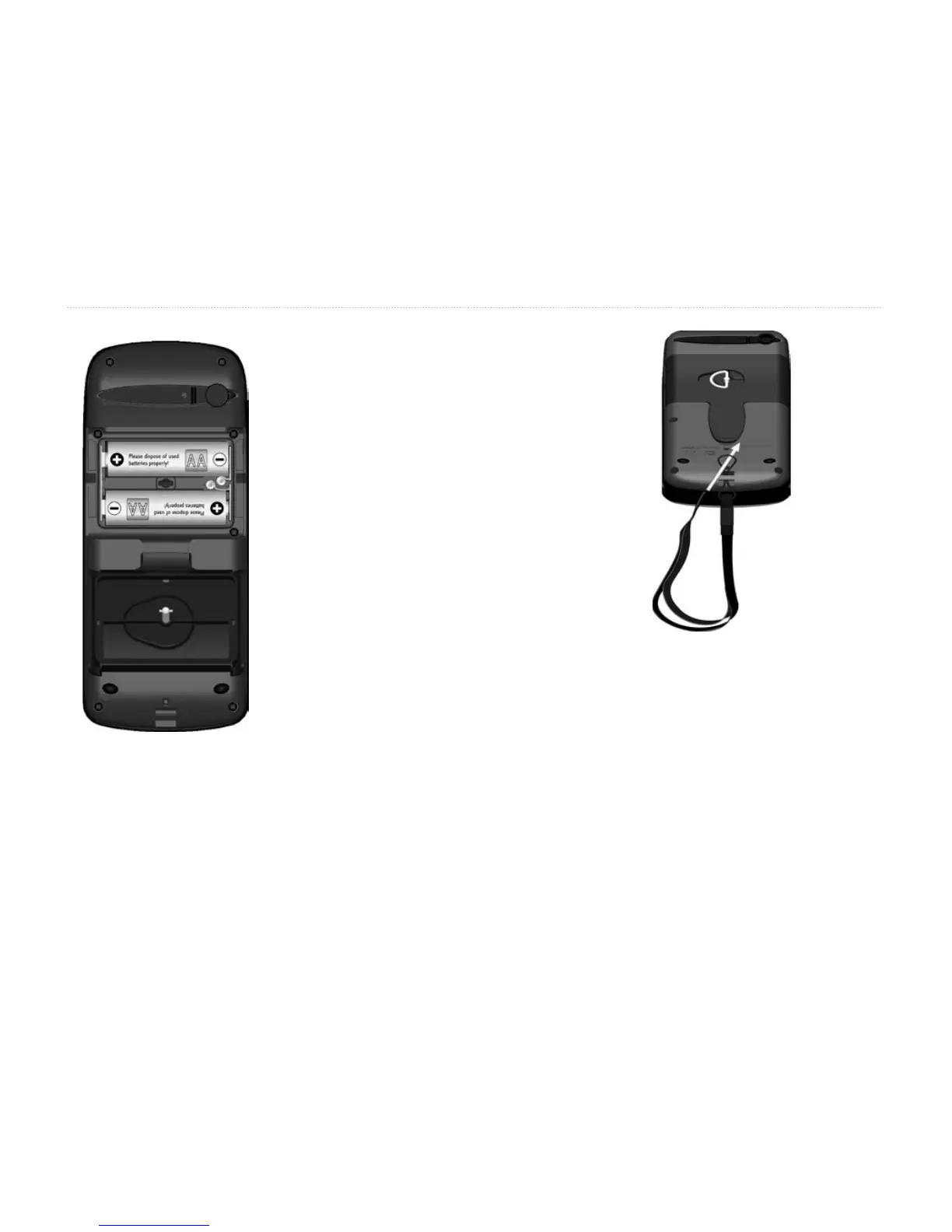
To Install the batteries:
1. Remove the Battery Cover
by turning the D-ring 1/4 turn
counter clockwise and pulling
the cover loose.
2. Check the battery polarity with
the molded diagram in the
battery compartment and install
the batteries inserting the end
toward the spring rst.
3. Re-install the Battery Cover by
aligning the back cover
with the Unit and turning the
D-ring clockwise.
Remove the batteries from your GPSMAP 76 when you do not
expect to use the unit for several months. Be sure to observe the
proper polarity when inserting the batteries. Follow the battery
manufacturer’s instructions on the proper care and handling of
the batteries.
To install the Lanyard:
1. Place the loop of the Lanyard
through the slot at the bottom of
the unit.
2. Route the strap through the loop
and pull tight.














 To Next Page