Garmin Mobile
™
XT Owner’s Manual 5
Where to?
Where to?
Use the Where to menu to nd addresses, restaurants, attractions, and a variety of
other locations. You can also nd nearby hotel prices, fuel prices, and SaversGuide
®
locations. To learn how to perform a simple search, see page 3.
Many categories in the Where to menu require detailed map data that is either
preloaded on your memory card or downloaded from MapInstall or MapSource. You
must have detailed maps loaded on your device in order to nd locations within some
of the Where to categories, such as Addresses and Food, Hotels.
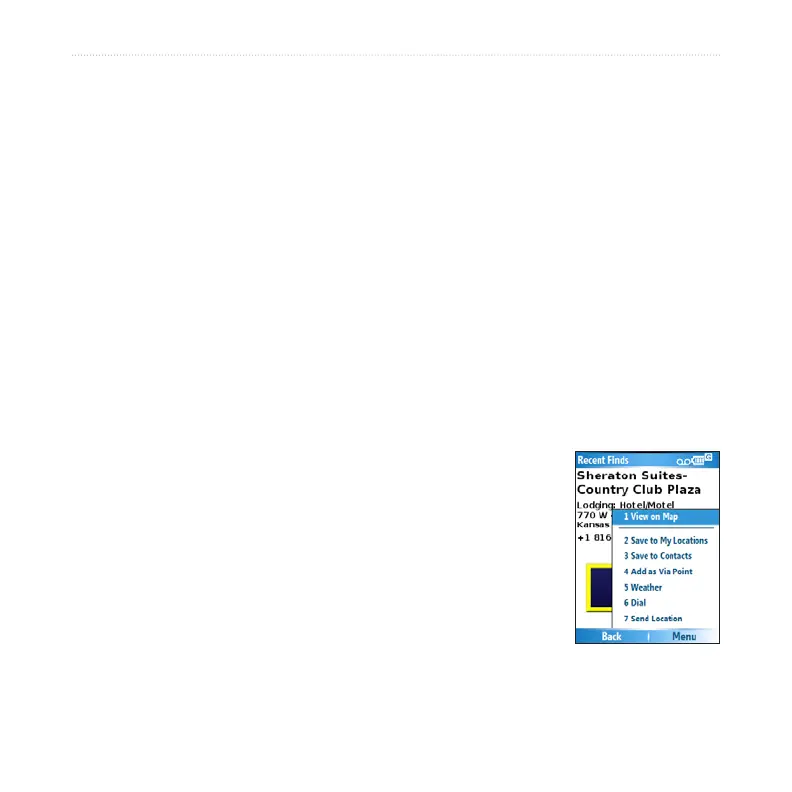
Information Page Options
After you nd an item, you can select Go to create a route to this location, or select
Menu or Options for additional options:
View on Map–view the location on a map.
Phone icon—call the location (if available).
Save to My Locations–save the location.
Save to Contacts–saves the location to your phone’s
contact list.
Add as Via Point–adds the location to your current route.
Send Location–sends your location as an SMS text
message. See the next page.
Weather–shows the current weather conditions at that location. See page 25.
•
•
•
•
•
•
•



 To Next Page